
MY PROJECT OPENED FULL OF MEDIA OFFLINE FRAMES. DID I LOSE EVERYTHING??

media-offlinerelinkvideo-editing8 replies 路 236 views 路 started
  1. long time lurker first post lol total panic moment. Resolve Studio after restoring from a backup:
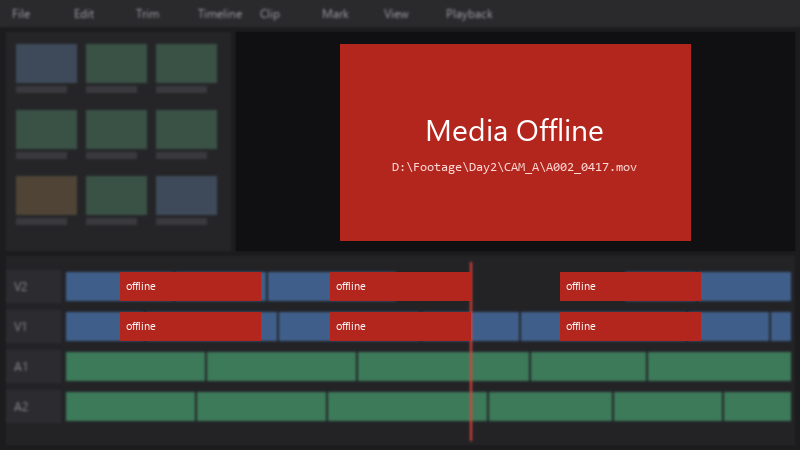
    Media Offline

    Media Offline
    D:\Footage\Day2\CAM_A\A002_0417.mov
    

    half my clips are offline. The footage isnt deleted, just moved... i really dont want to rebuild teh timeline by hand. How do i reconnect everything?

    ive learned my lesson about moving files carelessly. right now I just need to get this project worknig again, then Ill fix my organization. any help would be hugely appreciated right now.

    5
  2. hmmm if drive letters change on external drives, assign a fixed letter in Disk Management: right-click teh volume, Change Drive Letter and Paths, and set teh one teh project expects. lmk how it goes

    2 1 helpful
  3. wait does this also apply to studio? ??

    3 0 helpful
  4. long time lurker first post lol reading this at 2am instead of sleeping, no regrets im about to throw this thing out the window lol

    0 3 helpful
  5. ahh classic use Media Management in Resolve (File > Media Management) to copy or consolidate a project with all its media before moving to another computer. good luck man!

    29 0 helpful
  6. hmmm pro tip: write down what u change. i didnt and had to redo resolve from scratch fingers crossed 馃

    13 1 helpful
  7. oh ive been there lol if you moved all media at once, use File > Project Settings > General Options > Mapped mount or a path mapping so Resolve relpaces the old root path with the new one for every clip. good luck man!

    2 9 helpful
  8. @arjun.adler wowww ok relink Selected Clips found everything in one go. My project is back! I almost rebuilt it by hand.

    10 0 helpful

Reply to this topic

Sign in or create an account to reply.
