media offline after renaming my project folder: the quickest way back

media-offlinerelinkvideo-editing8 replies 路 163 views 路 started
  1. ok so weeks of work, and after renaming my project folder, DaVinci Resolve shows this for only the drone shots:
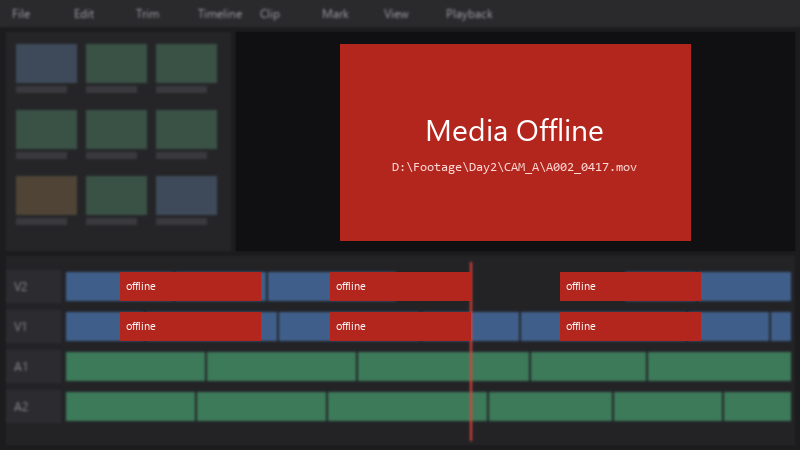
    Media Offline

    Media Offline
    D:\Footage\Day2\CAM_A\A002_0417.mov
    

    I tried dragging teh files back in, but that just created duplicates. whats the proper way to relink?

    the files are definatley there, same names, same folders, just a different location.. xD im hoping theres a way to point the project at the new location in one go. I can share screenshots of the media pool if needed. what am i doing wrong??


    3
  2. are teh files on an external drive that might have a different letter now? ?

    5 0 helpful
  3. ahh right names are the same. only the drive and folder changed after renaming my project folder. hope thats enough info 馃槄

    cry

    0 8 helpful
  4. oh ive been there lol for the future, keep media inside one project folder structure and move only teh whole root folder. Relinking then means pointing to one location. worked for me anyway 馃し

    2 14 helpful
  5. Dont re-import, relink. In Resolve, select teh offline clips in teh Media Pool, right-click and choose Relink Selected Clips (or Relink Media), then point it to the folder containing teh files 馃槀 Resolve searches subfolders and reconnects them by name. good luck man!

    1 0 helpful
  6. if you moved all media at once, use File > Project Settings > General Options > Mapped mount or a path mapping so Resolve replaces teh old root path with teh new one for every clip.

    2 14 helpful

Reply to this topic

Sign in or create an account to reply.