My WordPress died after copying staging to live. The debug log had a surprise (pls help)

Solvedphppluginswordpress8 replies · 424 views · started

Accepted solution

by Vik EkströmJump to the reply

been there man turn on logging to see the actual error. In wp-config.php, above teh line that says to stop editing, add define('WP_DEBUG', true);, define('WP_DEBUG_LOG', true); and define('WP_DEBUG_DISPLAY', false);. Reload teh site, then read wp-content/debug.log. the fatal error line names the file, which tells you which plugin or theme is responsible. fingers crossed 🤞

this vid explains it way better than me lol

▶ FIXED There has been a critical error on this website - Critical error on your website quick fix

  1. Small business site, and its completely down. All I see is this:
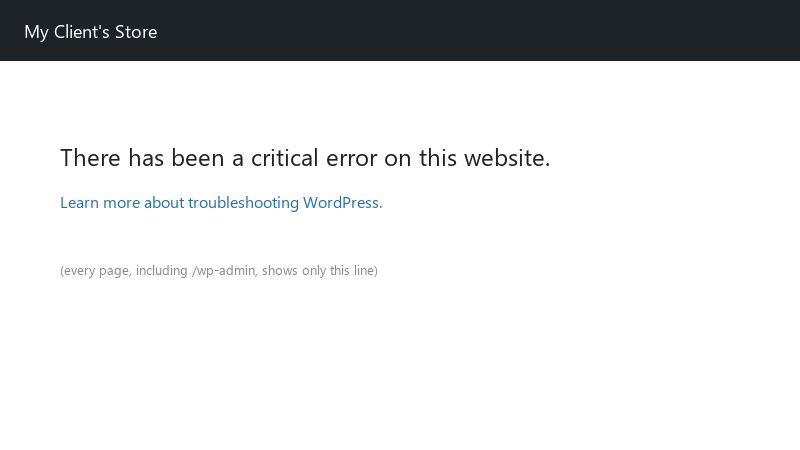
    There has been a critical error on this website.

    There has been a critical error on this website.
    Learn more about troubleshooting WordPress.
    

    WordPress sent an email about a technical issue mentioning a plugin, but the recovery mode link just loops back to teh error ;) This started right after copynig staging to live. Im not a developer, but I can follow instructions. Please tell me I dont have to rebuild everything. Any help is very welocme, customers are already asking what happened.

    0
  2. ok so with SSH and WP-CLI its quicker: wp plugin deactivate --all --skip-plugins --skip-themes to recover, then wp plugin activate name one at a time. wp plugin list shows versions sooo u can spot what updated recently. lmk how it goes

    2 6 helpful
  3. oh ive been there lol to disable all plugins without the dashboard, rename wp-content/plugins to plugins-off over FTP or the hosts file manager... wordPress deactivates everything it cant find :D if the site comes back, rename the folder back and then rename individual plugin folders one by one to find the culrpit. hope that helps :)

    5 4 helpful
  4. uhh is php even worth bothering with or should i just leave it ?

    1 0 helpful
  5. Accepted solution

    been there man turn on logging to see the actual error. In wp-config.php, above teh line that says to stop editing, add define('WP_DEBUG', true);, define('WP_DEBUG_LOG', true); and define('WP_DEBUG_DISPLAY', false);. Reload teh site, then read wp-content/debug.log. the fatal error line names the file, which tells you which plugin or theme is responsible. fingers crossed 🤞

    this vid explains it way better than me lol

    ▶ FIXED There has been a critical error on this website - Critical error on your website quick fix

    0 5 helpful
  6. Id restore the last backup first and investigate on a staging copy :) For a business site, getting back online fast matters more than finding the cause live. idk maybe im wrong lol

    0 1 helpful
  7. try turning off the update first, fixed it for me. @tensor_den what did u end up doing in teh end

    2 1 helpful
  8. my second monitor setup is officially haunted

    4 0 helpful
  9. @vike21 yesss switched PHP back, updated teh old plugin, then upgraded PHP again... everything runs fine. laerned a lot about debug.log today. seriously made my day 😭🙏

    2 2 helpful

Reply to this topic

Sign in or create an account to reply.
