
LOST MY ACCESS TO EVERYTHING SUDDENLY???

dnshelpinternettroubleshooting4 replies · 10 views · started
  1. so i was just trying to check my work emails and suddenly every single site i try to load just gives me this weird error. i dont even know where to start cuz i havent changed anything on my end. i tried restarting my router and even toggled my wifi off and on but nothing is working... i'm honestly starting to panic a bit cuz i have a deadline in like an hour and i cant get into any of my tools!!
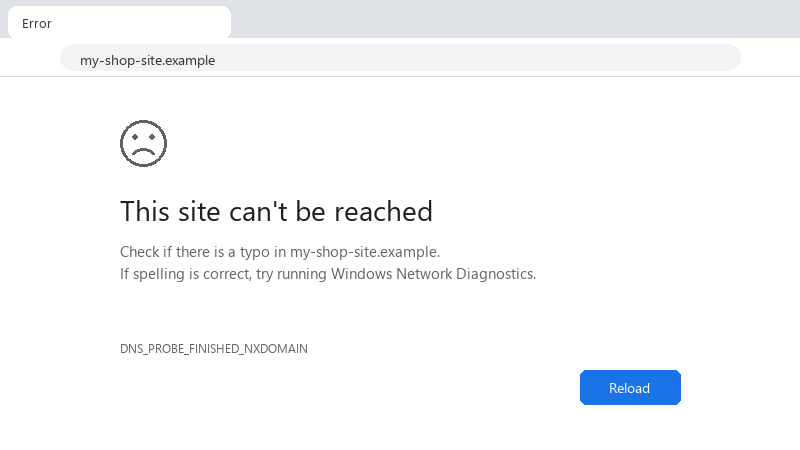
    This site can't be reached

    This site can't be reached
    Check if there is a typo in my-shop-site.example.
    If spelling is correct, try running Windows Network Diagnostics.
    DNS_PROBE_FINISHED_NXDOMAIN
    

    is this something with my isp or did i mess up a setting? idk what to do next... any help would be huge right now 😭

    5
  2. ok so dns error usually means your system cant resolve the hostnames. if restarting the router didnt work, try flushing your dns cache. on windows, open cmd as admin and run ipconfig /flushdns... if that fails, manually set your dns servers to 8.8.8.8 or 1.1.1.1 in ur network adapter settings. might just be a bad lease from ur isp lol 🤞

    3 0 helpful
  3. tbh if flushing the cache didnt do the trick, u should check if there's a proxy or a vpn hanging in the background. sometimes these apps crash but keep the system's routing tables pointed at a dead tunnel, which blocks everything else... u can check this in your system's network settings. also, check if your host file got hijacked by some junk software or a malware script. if u can't reach any sites, it's either a total DNS blackout from the isp or your local routing table is just completely fried. try pinging a raw ip like 8.8.8.8... if that works but names dont, then it's definitely a dns config issue. if even the ip fails, then it's a much bigger routing problem with your provider. hope u make the deadline!!

    0 0 helpful
  4. if pinging 8.8.8.8 works but sites still dont load, u might have a ghost proxy setting enabled, check netsh winsock reset and netsh int ip reset in cmd as admin... also check if ur browser is trying to force some weird secure dns thats actually just broken.

    thinking hope that helps :)

    0 0 helpful

Reply to this topic

Sign in or create an account to reply.
