The Apex Domain Mystery: Without Www It Throws A Certificate Warning

Solvedcnamednsdomains13 replies · 157 views · started

Accepted solution

by LarsJump to the reply

hmmm make suree teh host knows about both names, most platforms issue certificates only for domains you add in their dashboard, so add the apex and teh www as custom domains and set one as priamry, otherwise the apex resolves correctly but shows a certificate mismatch.

thinking

  1. my analytics showed a strange drop and when i checked, the bare domain throws a certificate warning :/ the www version is fine.
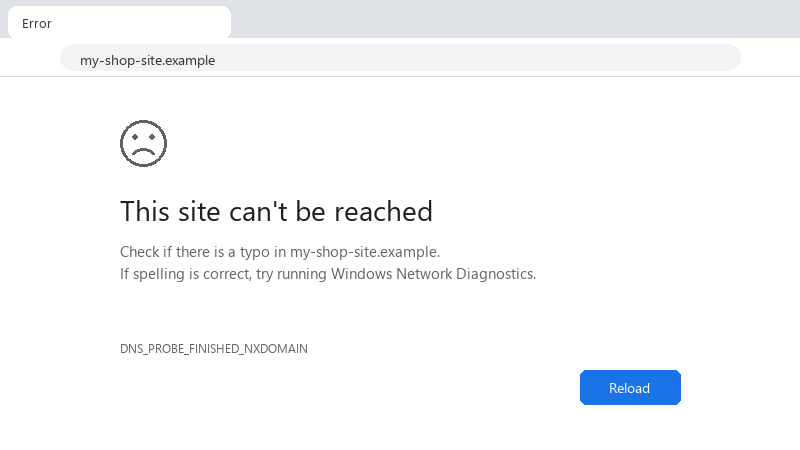
    This site can't be reached

    This site can't be reached
    Check if there is a typo in my-shop-site.example.
    If spelling is correct, try running Windows Network Diagnostics.
    DNS_PROBE_FINISHED_NXDOMAIN
    

    im using my hosts zone editor and pointing the site at a CDN... i think theres still an old A record from the previous host but Im scared to delete things i dont understand... could someone explain how apex and www are supposed to be set up?? A short explanation of what each record is supposed to do would help a lot.


    cry

    2
  2. hmmm what does dig A return for the bare domain right now?

    1 0 helpful
  3. ok so for me it was teh power plan... swapped it and boom, fixed... dumb question but how do i even check the BIOS

    36 13 helpful
  4. i swear throws is cursed. which version are you on?

    1 2 helpful
  5. hmmmm quick q which version are you on? ?

    13 1 helpful
  6. if ur DNS provider doesnt support flattening, consider moving DNS (not teh domain registration) to a provider that does. u only change nameservers at the registrar. copy every record over first, especially MX and TXT for email.

    3 0 helpful
  7. After changes, test from outside your network: nslookup example.com 8.8.8.8 and curl -I https://example.com. The curl output shows the redirect chain and the status, which tells you whether DNS or the host config is the remaining problem. good luck man!

    6 0 helpful
  8. ok so registrar URL forwarding often only works over HTTP and has no certificate for HTTPS, sooo anyone visiting https://example.com gets a warning, prefer pointing teh apex at ur host with A records and letting the host handle teh redirect to www with a valid certificate. lmk how it goes

    6 2 helpful
  9. been there man honestly just reset the extension and save yourself the pain

    4 2 helpful
  10. check what the apex crurently resolves to: dig A example.com +short and compare with dig CNAME www.example.com +short. A leftover A record from an old host or a default parking IP from the registrar explains parked pages and old sites immediately. delete those once the corerct records are in place.

    12 6 helpful
  11. hmmm make suree teh host knows about both names, most platforms issue certificates only for domains you add in their dashboard, so add the apex and teh www as custom domains and set one as priamry, otherwise the apex resolves correctly but shows a certificate mismatch.

    thinking

    0 19 helpful
  12. @subnetotter dude moved DNS to a provider with CNAME flattening, kept teh registration where it was ;) Apex points at a CDN and redirects to www cleanly.

    5 3 helpful

Reply to this topic

Sign in or create an account to reply.