curl localhost works, the outside world gets refused on 3000

Solvedfirewallnetworkingvps20 replies · 521 views · started
Accepted solution by Priya Walsh — hmmm if a web server like Nginx is supposed to answer, confirm its running and the config is valid: sudo nginx t and systemctl status…
  1. this is prob obvious to somenoe, not to me. i moved my app to a new container host and now nobody can reach it on port 3000.
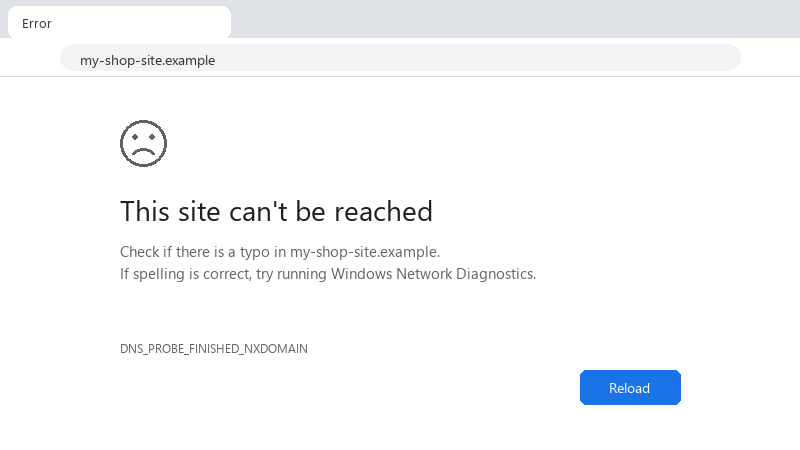
    This site can't be reached

    This site can't be reached
    Check if there is a typo in my-shop-site.example.
    If spelling is correct, try running Windows Network Diagnostics.
    DNS_PROBE_FINISHED_NXDOMAIN
    

    it worked on my old machine with teh same config... the only difference I can see is the new server has a different OS version and runs things in containers... whats the usual reason a running app refuses outside connections? thanks in advnace, this has eaten my whole evening already. any ideas??


    2
  2. hmmmm quick q is it refused immediately, or does it hang and time out?

    0 2 helpful
  3. ok so it's refused instantly, no waiting, the provider dashboard firewall allows 3000 as far as i can tell. hope thats enough info 😅

    2 0 helpful
  4. With Docker, look at teh port mapping in docker ps. 127.0.0.1:3000->3000/tcp means its only publsihed on localhost. use -p 3000:3000 or "3000:3000" in Compose... also note Dockers own fireawll rules can bypass ufw, which surprises ppl in teh other direction. good luck man!

    0 0 helpful
  5. hmmmm not sure about that everyone keeps saying this but nobody posts proof but hey ymmv

    2 2 helpful
  6. ok so check what the app is actually bound to: sudo ss -tlnp | grep 3000... if it shows 127.0.0.1:3000, it only accepts local connections and outsiders get refused. Configure it to listen on 0.0.0.0 (or the public interface)... many dev servers default to localhost only. worked for me anyway 🤷

    1 0 helpful
  7. @kernel_works nah thats not it, networking has nothing to do with it but hey ymmv

    7 0 helpful
  8. lol same thing happened to me for a home server, the router must forward the port to the servers LAN IP, and the server should have a fixed IP or DHCP reservation. Some ISPs block inbound 80 and 443 on residential lines, and some use carrier-grade NAT, in which case port forwaridng cant work at all.

    1 0 helpful
  9. yeahhh honestly just reset teh firmware and save yourself the pain

    1 1 helpful
  10. ok so "Refused" and "timed out" mean different things... refused means the packet reached teh machine and nothing was listening (or a firewall actively rejected it). A timeout usually means something dropped teh packet silently, often a cloud firewall or router... that tells you which layer to inspect. worked for me anyway 🤷

    13 5 helpful
  11. oof bump. still happening with firewall for me worked for me anyway 🤷

    1 3 helpful
  12. lol same thing happened to me exact same thing happened to my work pc last month

    1 1 helpful
  13. lol same thing happened to me check the OS firewall: sudo ufw status verbose or sudo firewall-cmd --list-all. Allow the port with sudo ufw allow 3000/tcp... then check the cloud providers security group or firewall rules in its dashboard; those are separate and both must allow the port. fingers crossed 🤞

    1 0 helpful
  14. my moms pc is officially haunted seriously need help here 😭

    12 1 helpful
  15. also lol how is this thread still going lmao

    3 4 helpful
  16. wowww ok ok updtae: did what @vector_warden246 said and its fine now owe u a beer 🍺

    1 0 helpful
  17. Accepted solution

    hmmm if a web server like Nginx is supposed to answer, confirm its running and the config is valid: sudo nginx -t and systemctl status nginx :) A falied config reload leaves it stopped, and everything on 80 and 443 gets refused.

    1 10 helpful
  18. for a home server Id skip port forwarding entirely and use a tunnel or VPN, exposing a Raspberry Pi to the internet has its own risks. idk maybe im wrong lol

    0 1 helpful
  19. @night_trace-3c6 nah thats not it, netowrking has nothing to do with it

    8 0 helpful

Reply to this topic

Sign in or create an account to reply.