the single bios setting that stopped my memory crashes (i think)

Solvedbsodramxmp14 replies · 331 views · started
Accepted solution by Kai Rahman — XMP/EXPO profiles run memory beyond the CPU's official spec, sooo stability depends on the memory controller too. A profile that's 'rated'…
  1. i upgraded to a DDR5-6000 kit, enabled XMP in the BIOS, and since then Ive been getting this every day or two:
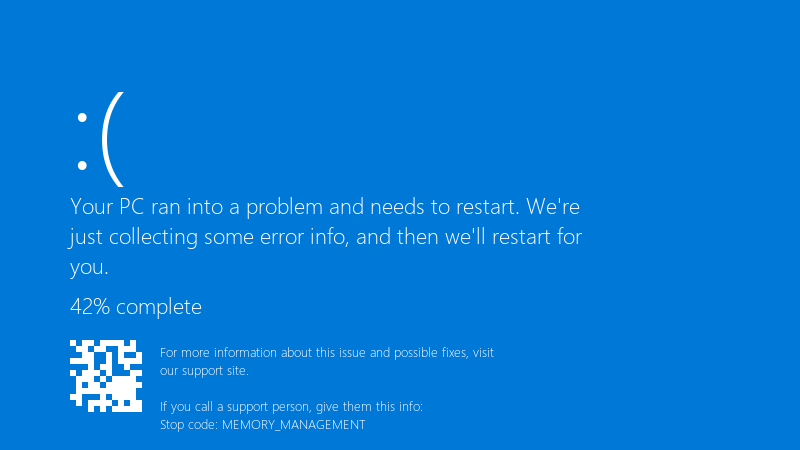
    Your PC ran into a problem and needs to restart. We're

    Your PC ran into a problem and needs to restart. We're
    just collecting some error info, and then we'll restart for
    you.
    42% complete
    For more information about this issue and possible fixes, visit
    our support site.
    
    If you call a support person, give them this info:
    Stop code: MEMORY_MANAGEMENT
    

    MEMORY_MANAGEMENT. sometimes it's Chrome that just closes instead. with XMP off everything is stable but slower. is teh RAM faulty, or is my system just not happy with the rated speed? i don't mind running a bit slower if i have to, but i paid for teh faster kit and i'd like to use it if it's possible. i want to understand what's really happening here. what am i doing wrong??

    2
  2. hmmmm quick q two sticks or four?

    0 4 helpful
  3. hmmm check that the sticks are in the rceommended slots for your board and fully seated. also look at the boards QVL for your exact kit. lmk how it goes

    1 0 helpful
  4. test properly with MemTest86 from a USB stick, or TestMem5 with a stability config inside Windows, windows Memory Diagnostic misses many timing-related errors.

    8 0 helpful
  5. oh ive been there lol four sticks put more load on the memory controller than two. its common for four sticks to need a lower speed than the profile says 🤷 try one step lower speed or slightly losoer timings.

    0 1 helpful
  6. lol same thing happened to me try turning off teh update first, fixed it for me, following, having the same problem fingers crossed 🤞

    2 1 helpful
  7. oh ive been there lol if one speed step down is stable, leave it there. the real-world difference is small, and stability mtaters more than a number in teh BIOS.

    thinking

    this video fixed it for me:

    ▶ How to enable XMP/DOCP

    5 0 helpful
  8. Accepted solution

    XMP/EXPO profiles run memory beyond the CPU's official spec, sooo stability depends on the memory controller too. A profile that's 'rated' can still be unstable on a particular CPU and board.

    0 2 helpful
  9. @kai_heap Dropped the speed one step with four sticks and everyhtings stable. Cant tell the difference in Chrome. cant believe it was that simple lol

    thumbsup

    2 0 helpful

Reply to this topic

Sign in or create an account to reply.