FIXED NPM ERR! CODE ERESOLVE IN VITE, BUT I DON'T UNDERSTAND WHY IT WORKED 🤔

buildjavascriptnpm12 replies · 243 views · started
  1. so annoyed rn merged a dependency update PR and now Vite refuses to build:
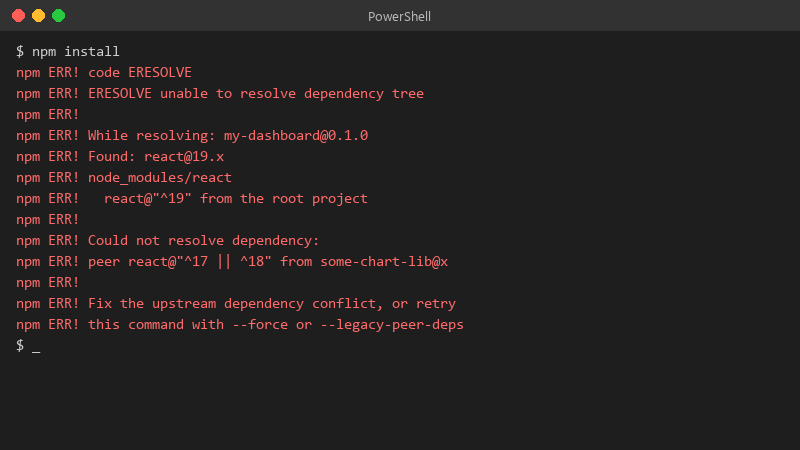
    $ npm install

    $ npm install
    npm ERR! code ERESOLVE
    npm ERR! ERESOLVE unable to resolve dependency tree
    npm ERR!
    npm ERR! While resolving: my-dashboard@0.1.0
    npm ERR! Found: react@19.x
    npm ERR! node_modules/react
    npm ERR!   react@"^19" from the root project
    npm ERR!
    npm ERR! Could not resolve dependency:
    npm ERR! peer react@"^17 || ^18" from some-chart-lib@x
    npm ERR!
    npm ERR! Fix the upstream dependency conflict, or retry
    npm ERR! this command with --force or --legacy-peer-deps
    

    The error is npm ERR! code ERESOLVE. The PR looked harmless, a few version bumps. I'd rather understand the cause than blindly revert or slap a flag on it. What's the right way to read this error and fix it properly? Happy to share more of the log if someone tells me which lines matter.


    3
  2. hmmm is the lockfile committed, and does CI use npm ci?? ?

    7 0 helpful
  3. make a backup before u touch the settings, learned that the hard way... told my boss it would take 10 minutes. its been half the night

    3 0 helpful
  4. The lockfile wasnt committed. Each machine has been resolving its own versions for Vite. sorry for the wall of text lol

    facepalm

    1 0 helpful
  5. lol same thing happened to me ERESOLVE means npm found conflicting peer dependency requirements. read the full message: it lists which package wants which version range. align versions so they agree, often by updating the package that's behind. --legacy-peer-deps makes the error go away but hides real incompatibilities, so use it only as a temporary step. fingers crossed 🤞

    0 9 helpful
  6. yeahhh node-gyp failures mean a native module needs compiling and there was no prebuilt binary for your Node version or platform. either install build tools (Python and a C++ compiler) or, better, use a Node version teh package supports. also check case-sensitive import paths: macOS and Windows forgive ./Button vs ./button, Linux CI does not. worked for me anyway 🤷

    1 0 helpful
  7. ok but is eresolve even worth bothering with or should i just leave it. this. so much this ?

    2 0 helpful
  8. omggg ok update: did what @sana_frame said and its fine now

    thumbsup

    8 1 helpful
  9. @amarao365 works on paper, not in real life. i swear build is cursed just my 2 cents

    2 0 helpful
  10. pin teh Node version. add an .nvmrc or the engines field in package.json, and make CI use the same major version, compare node -v and npm -v locally and in CI; many nothing changed failures are actually a new Node version on the runner. worked for me anyway 🤷

    0 1 helpful
  11. for JavaScript heap out of memory, raise the limit for the build: NODE_OPTIONS=--max-old-space-size=4096 npm run build... if it keeps growing, look for huge source maps, giant JSON imports or an accidental import of a whole library. fingers crossed 🤞

    3 0 helpful
  12. @silicon_gremlin825 holy cow updated teh outdated plugin, the peer conflict disappeared, no flags needed... glad i didnt just revert. cant believe it was that simple lol

    15 0 helpful

Reply to this topic

Sign in or create an account to reply.


