
Editing Multicam 4K Interviews Ends In A GPU Memory Error Every Time

Solvedgpuvideo-editingvram8 replies · 364 views · started

Accepted solution

by Ivan BanerjeeJump to the reply

hmmm close other GPU-heavy apps like browsers with hardware acceleration, games or other editors. they all share teh same VRAM. hope that helps :)

  1. im new to serious editing and the free version of Resolve just threw this at me:
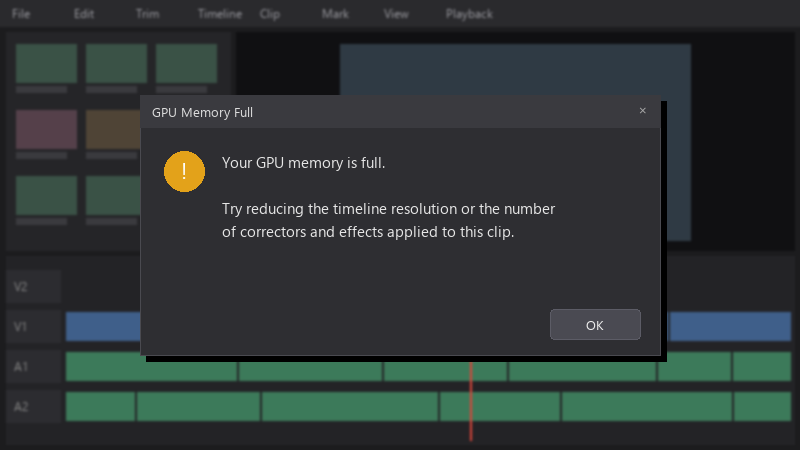
    GPU Memory Full

    GPU Memory Full
    Your GPU memory is full.
    
    Try reducing the timeline resolution or the number
    of correctors and effects applied to this clip.
    

    the timeline is multicam 4K interviews, and i used stabilization a lot 🤦 i dont realy understand where all the GPU memroy goes. any advice??

    any tips on settings or workflow changes are welcome 👍 I want to finish this project now and learn how to avoid teh error next time.

    7
  2. are you editing the original 6K RAW clips files or proxies/optimized media? ?

    7 2 helpful
  3. in Preferences > Memory and GPU, make sure only your dedicated GPU is selected for processing and the GPU processing mode matches your card (CUDA for NVIDIA, OpenCL for AMD).

    2 0 helpful
  4. Accepted solution

    hmmm close other GPU-heavy apps like browsers with hardware acceleration, games or other editors. they all share teh same VRAM. hope that helps :)

    2 8 helpful
  5. If you regularly edit 6K RAW clips, a GPU with more VRAM really is teh long-term fix. Workarounds help, but they slow you down. just my 2 cents

    0 1 helpful
  6. @ibanerjee-1uc omg finally render cache on stabilization clips made a huge difference. Playback is smooth and teh export finished.

    party

    5 0 helpful

Reply to this topic

Sign in or create an account to reply.

