valid certificate, still 'not secure' in the address bar. thanks, mixed content

httpsmixed-contentssl29 replies · 514 views · started
  1. im literally losing my mind here i thought turning on HTTPS would be a five-minute job 😤 Instead a forum install looks broken: 'Not secure' in the address bar.
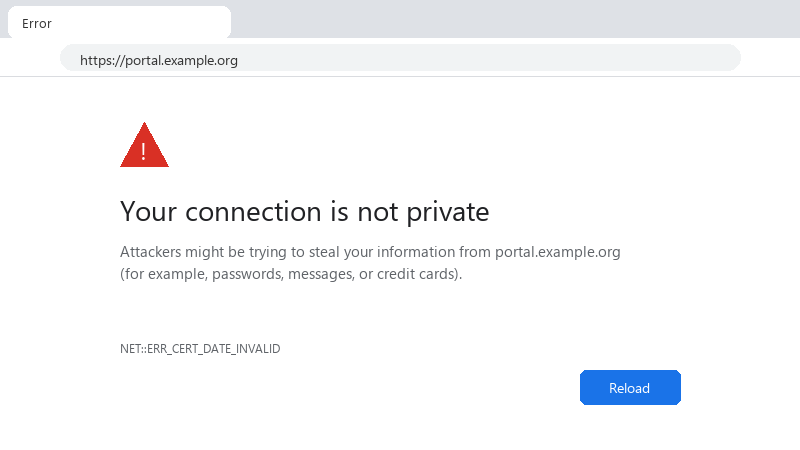
    Your connection is not private

    Your connection is not private
    Attackers might be trying to steal your information from portal.example.org
    (for example, passwords, messages, or credit cards).
    NET::ERR_CERT_DATE_INVALID
    

    In the console there are messages about mixed content and an embedded video being blocked 🤷 The certificate itself seems fine. i'm behind the host's load balancer, if that matters. What's the cleanest way to fix this for good, not just patch one URL? Any pointers on where these links usually hide would be very welcome. what am i doing wrong??


    0
  2. ok but which URLs exactly does the console list as mixed content? ?

    thinking

    0 3 helpful
  3. @cobaltden nah thats not it, install has nothing to do with it idk maybe im wrong lol

    0 2 helpful
  4. lol same thing happened to me if the app sits bheind a load balancer or proxy that terminates TLS, teh app may think requests are plain http and generate http:// links. make it trust X-Forwarded-Proto: Laravel's TrustProxies middleware, Django's SECURE_PROXY_SSL_HEADER, or in WordPress set $_SERVER['HTTPS'] = 'on' when that hedaer says https. good luck man!

    0 4 helpful
  5. oof try turning off teh DNS first, fixed it for me hope that helps :)

    0 3 helpful
  6. been there man for WordPress, old URLs live in the database. Use WP-CLI: wp search-replace 'http://example.com' 'https://example.com' --all-tables --dry-run, check teh count, then run it without --dry-run. It handles serialized data safely, unlike a raw SQL repalce. Take a database backup first.

    14 0 helpful
  7. @lambda_pilot825 what did u end up doing in the end

    1 1 helpful
  8. Use protocol-correct embeds for third-party content. Old video or map embed codes often have http:// in the iframe src. Replace them with the current https embed code from the provider.

    4 1 helpful
  9. lol same thing happened to me as a safety net, add the header Content-Security-Policy: upgrade-insecure-requests. browsers will then request http subresources over https automatically. it only works if those resources are actually available over https, so it complements the real fix rather than replacing it. hope that helps :)

    2 10 helpful
  10. guys pls help spent two days on install and im still not done im about to throw this thing out the window lol

    3 1 helpful
  11. Open DevTools > Console. Each mixed content warning names the exact insecure URL: Mixed Content: The page at 'https://...' was loaded over HTTPS, but requested an insecure resource 'http://...'. Collect those URLs; the domain and path usually tell you whether it's theme code, uploaded content or a third-party embed.

    4 0 helpful
  12. WOWWW finally got it working, thx everyone 😤 is secure even worth bothering with or should i just leave it cant believe it was that simple lol

    thumbsup

    4 14 helpful
  13. hmmm is embedded even worth bothering with or should i just leave it. came here to say exactly this ??

    11 0 helpful

Reply to this topic

Sign in or create an account to reply.


