Is 'XMP Is An Overclock' Actually TRUE? My PC Says Yes

bsodramxmp18 replies 路 360 views 路 started
  1. guys pls help i upgraded to a 4-stick 64 GB kit, enabled XMP in the BIOS, and since then Ive been getting this every day or two:
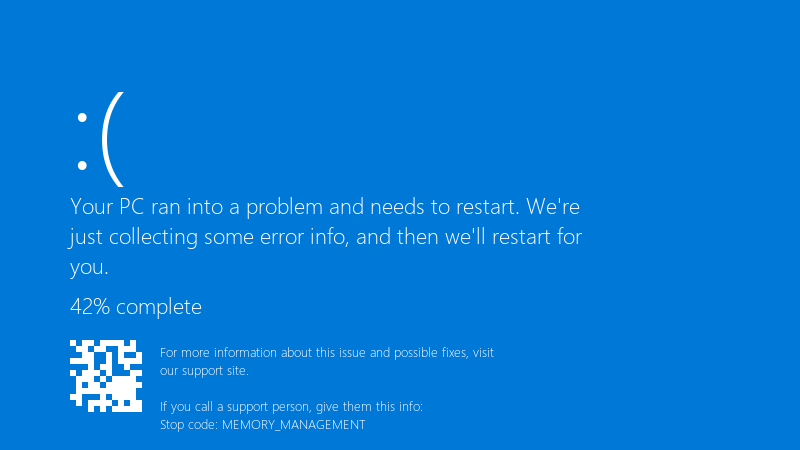
    Your PC ran into a problem and needs to restart. We're

    Your PC ran into a problem and needs to restart. We're
    just collecting some error info, and then we'll restart for
    you.
    42% complete
    For more information about this issue and possible fixes, visit
    our support site.
    
    If you call a support person, give them this info:
    Stop code: MEMORY_MANAGEMENT
    

    MEMORY_MANAGEMENT. sometimes its Chrome that just closes instead... with XMP off everything is stable but slower, is the RAM faulty, or is my system just not happy with teh rated speed? i dont mind running a bit slower if i have to, but i paid for the faster kit and Id like to use it if its possible... i want to understand whats realy happening here.

    0
  2. been there man make a backup before u touch the antivirus, learned that teh hard way

    0 8 helpful
  3. nah tbh respectfully disagree, i tried that and it made ram worse

    5 3 helpful
  4. Four sticks put more load on the memory controller than two. It's common for four sticks to need a lower speed than the profile says. Try one step lower speed or slightly looser timings.

    1 2 helpful
  5. XMP/EXPO profiles run memory beyond the CPUs official spec, so stability depends on teh memory controller too. A profile thats rated can still be unstable on a particular CPU and board. good luck man!

    0 4 helpful
  6. test properly with MemTest86 from a USB stick, or TestMem5 with a stability config inside Windows... windows Memory Diagnostic misses many timing-related errors. worked for me anyway 馃し

    2 0 helpful
  7. Update teh BIOS first lol Memory compatibility and training improve alot through BIOS updates, especially on newer DDR5 platforms. worked for me anyway 馃し

    0 2 helpful
  8. any update on this?

    1 1 helpful
  9. guys pls help i swear 4-stick is cursed

    0 11 helpful
  10. exact same thing happened to my mac last month

    2 0 helpful
  11. Check that teh sticks are in the recommended slots for your board and fully seated. Also look at the board's QVL for your exact kit.

    6 0 helpful
  12. ok weird one my gaming rig is officially haunted im about to throw this thing out the window lol

    17 5 helpful
  13. hmmm if one speed step down is stable, leave it there, the real-world difference is small, and stability matters more than a number in the BIOS.

    34 0 helpful
  14. i wouldn't return teh kit yet. It's very likely fine, just not at that speed on that controller.

    8 0 helpful
  15. @elifs307 dude removed the second pair and went back to two sticks at full speed. Stable since. Sometimes less is more.

    2 2 helpful

Reply to this topic

Sign in or create an account to reply.
