
four sticks, one profile, endless blue screens. help me understand

bsodramxmp30 replies 路 378 views 路 started
  1. ugh. i upgraded to a DDR4-3600 kit, enabled XMP in the BIOS, and since then Ive been getting this every day or two:
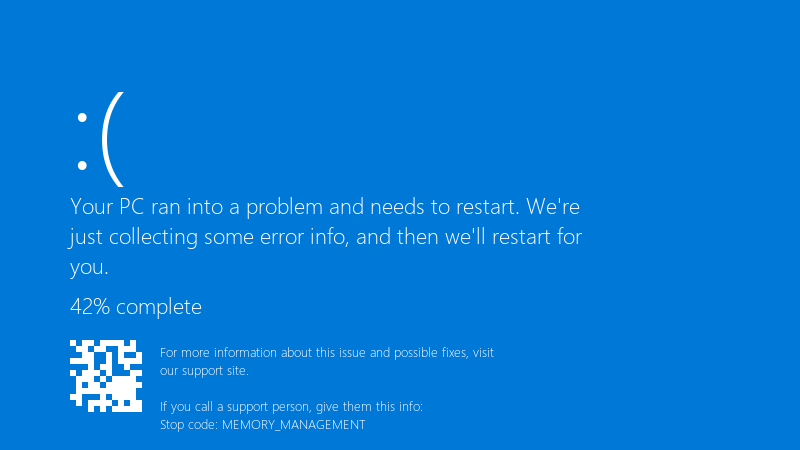
    Your PC ran into a problem and needs to restart. We're

    Your PC ran into a problem and needs to restart. We're
    just collecting some error info, and then we'll restart for
    you.
    42% complete
    For more information about this issue and possible fixes, visit
    our support site.
    
    If you call a support person, give them this info:
    Stop code: MEMORY_MANAGEMENT
    

    MEMORY_MANAGEMENT.. xD sometimes its Visual Studio that just closes instead... with XMP off everything is stable but slower, is teh RAM faulty, or is my system just not happy with the rated speed? i dont mind running a bit slower if i have to, but i paid for teh faster kit and Id like to use it if its possible... i wanna understand whats realy happening here.


    1
  2. Update teh BIOS first. Memory compatibility and training improve alot through BIOS updates, especially on newer DDR5 platforms. worked for me anyway 馃し

    9 0 helpful
  3. help!! spent since tuesday on xmp and im still not done thx in advance!!

    cry

    7 4 helpful
  4. Check that the sticks are in the recommended slots for ur board and fully seated. Also look at the boards QVL for ur exact kit.

    2 6 helpful
  5. test proprely with MemTest86 from a USB stick, or TestMem5 with a stability config inside Windows. widnows Memory Diagnostic misses many timing-related errors.

    4 2 helpful
  6. nah tbh respectfully disagree, i tried that and it made bsod worse. spent 3 hours on xmp and im still not done idk maybe im wrong lol

    2 0 helpful
  7. ehh idk man that sounds like bad adivce tbh

    13 0 helpful
  8. XMP/EXPO profiles run memory beyond teh CPUs official spec, sooo stability depends on the memory controller too. A profile thats rated can still be unsatble on a particular CPU and board. worked for me anyway 馃し

    0 1 helpful
  9. told my boss it would take 10 minutes. its been my entire lunch break any ideas??

    7 0 helpful
  10. been there man if one speed step down is stable, leave it there. the real-world difference is small, and stability matters more than a numebr in the BIOS. good luck man!

    0 2 helpful
  11. pro tip: write down what u change 馃檹 i didnt and had to redo xmp from scratch worked for me anyway 馃し

    0 9 helpful
  12. reading this at 2am instead of sleeping, no regrets

    1 0 helpful
  13. Four sticks put more load on the memory controller than two. It's common for four sticks to need a lower speed than the profile says. Try one step lower speed or slightly looser timings.

    1 1 helpful

Reply to this topic

Sign in or create an account to reply.

