IS MY ALMALINUX INSTALL TOAST OR CAN I STILL SAVE THIS?

Solvedbootkernellinux7 replies · 178 views · started
Accepted solution by Una Petrov — To rule out hardware, check whether the old kernel is stable over time and run smartctl a on the disks. A failing disk tends to show I/O…
  1. long time lurker first post lol home lab drama. AlmaLinux on my home lab box got a kernel update and now it panics during boot:
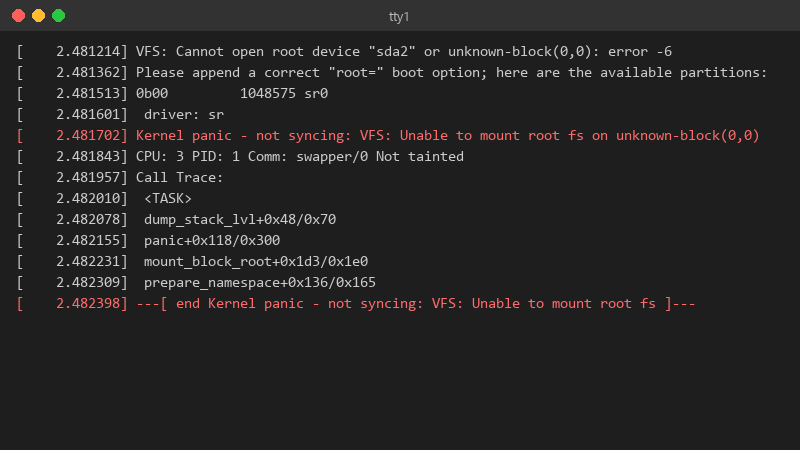
    2.481214 VFS: Cannot open root device "sda2" or unknown-block(0,0): error -6

    [    2.481214] VFS: Cannot open root device "sda2" or unknown-block(0,0): error -6
    [    2.481362] Please append a correct "root=" boot option; here are the available partitions:
    [    2.481513] 0b00         1048575 sr0
    [    2.481601]  driver: sr
    [    2.481702] Kernel panic - not syncing: VFS: Unable to mount root fs on unknown-block(0,0)
    [    2.481843] CPU: 3 PID: 1 Comm: swapper/0 Not tainted
    [    2.481957] Call Trace:
    [    2.482010]  <TASK>
    [    2.482078]  dump_stack_lvl+0x48/0x70
    [    2.482155]  panic+0x118/0x300
    [    2.482231]  mount_block_root+0x1d3/0x1e0
    [    2.482309]  prepare_namespace+0x136/0x165
    [    2.482398] ---[ end Kernel panic - not syncing: VFS: Unable to mount root fs ]---
    

    It was running for months withuot a hiccup. Is this hardware failing at teh worst possible time, or teh update??

    i havent touched the hardware in months 😤 no new disks, no new RAM, nothing. its just the update and a reboot. id like to fix this properly instead of reinstalling, because theres quite a bit of config on this box. thx in advance!!


    15
  2. ok but was /boot close to full before you updated? ??

    12 2 helpful
  3. after youre up on teh old kernel, read the failed boots log if it got that far: journalctl -b -1 -k (requires persistent journal). also set the known-good kernel as default temporarily with grub-set-default or grubby --set-default until the new one is fixed. worked for me anyway 🤷

    1 12 helpful
  4. yeahhh first, boot the previous kernel 😂 in GRUB pick Advanced options (Debian/Ubuntu) or the older entry in teh list (RHEL family). if the old kernel boots, ur data is fine and the problem is teh new kernel or its initramfs.

    2 1 helpful
  5. Accepted solution

    To rule out hardware, check whether the old kernel is stable over time and run smartctl -a on the disks. A failing disk tends to show I/O errors in dmesg well before a panic. lmk how it goes

    thumbsup

    4 5 helpful
  6. wait what alternatively use snapshots before patching (LVM, Btrfs, or the hypervisor) so the rollback is one click instead of GRUB surgery.

    5 0 helpful
  7. @upetrov_20 A DKMS module hadnt been built for teh new kernel. dkms autoinstall fixed it and teh home lab box is back. thank u thank u thank u

    4 0 helpful

Reply to this topic

Sign in or create an account to reply.



