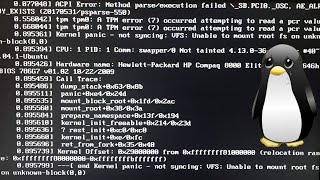
HOW DO YOU RESCUE A POP!_OS BOX THAT PANICS BEFORE YOU CAN LOG IN?

Solvedinitramfskernel-paniclinux9 replies · 230 views · started
Accepted solution by Caleb Rahman — oof unknown block(0,0) usually means the kernel has no initramfs, or teh initramfs lacks the driver for your root disk. Boot teh older…
  1. i need a calm person to talk me down.
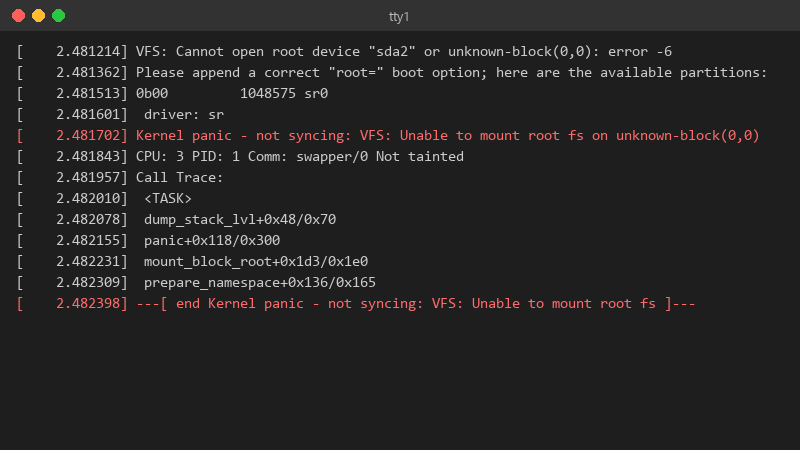
    2.481214 VFS: Cannot open root device "sda2" or unknown-block(0,0): error -6

    [    2.481214] VFS: Cannot open root device "sda2" or unknown-block(0,0): error -6
    [    2.481362] Please append a correct "root=" boot option; here are the available partitions:
    [    2.481513] 0b00         1048575 sr0
    [    2.481601]  driver: sr
    [    2.481702] Kernel panic - not syncing: VFS: Unable to mount root fs on unknown-block(0,0)
    [    2.481843] CPU: 3 PID: 1 Comm: swapper/0 Not tainted
    [    2.481957] Call Trace:
    [    2.482010]  <TASK>
    [    2.482078]  dump_stack_lvl+0x48/0x70
    [    2.482155]  panic+0x118/0x300
    [    2.482231]  mount_block_root+0x1d3/0x1e0
    [    2.482309]  prepare_namespace+0x136/0x165
    [    2.482398] ---[ end Kernel panic - not syncing: VFS: Unable to mount root fs ]---
    

    Thats my Pop!_OS laptop after rseizing teh root partition 🔥 It just freezes there with teh caps lock light blinking. i have a live USB from when i installed it. Im comfortable with a terminal but Ive never had to repair a boot before. Is this fixable without reinstalling? i can boot the live USB and see the drives partitions, and my files look like theyre still there. So the disk is alive. i just dont understand what teh system is missing at boot.

    8
  2. wait was the update interrupted, or did it finish normally? ?

    0 2 helpful
  3. yeah so it finished normally as far as i saw, but i wasnt watching teh whole time during resizing teh root partition.

    4 0 helpful
  4. ok so ur data is almsot certainly fine, before any repair, boot the live USB and copy the important folders to an etxernal drive... it costs ten minutes and removes all the stress.

    4 0 helpful
  5. ahh classic if you changed teh disk or partitoin layout, compare the UUIDs from blkid with /etc/fstab and teh root= parameter in ur boot entry (Pop!_OS uses systemd-boot, look in /boot/efi/loader/entries/). A stale UUID gives the same panic. good luck man!

    9 2 helpful
  6. Accepted solution

    oof unknown-block(0,0) usually means the kernel has no initramfs, or teh initramfs lacks the driver for your root disk. Boot teh older kernel and check:

    ls -l /boot
    

    If theres a vmlinuz for the new version without a matching initrd.img / initramfs file, thats it. hope that helps :)

    1 4 helpful
  7. hmmmm not sure about that id hold off on chroot until youve tried the older kernel. People jump into chroot and mount the wrong partition under stress. but hey ymmv

    1 0 helpful
  8. hmmmm not sure about that idk man that sounds like bad advice tbh just my 2 cents

    0 2 helpful

Reply to this topic

Sign in or create an account to reply.