how do i relink just the audio files in my nle after restoring from a backup?

media-offlinerelinkvideo-editing14 replies 路 376 views 路 started
  1. guys pls help total panic moment, my NLE after restoring from a backup:
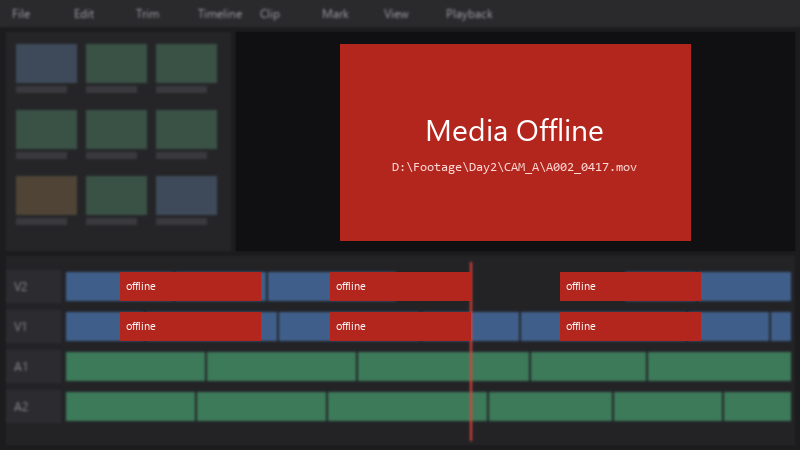
    Media Offline

    Media Offline
    D:\Footage\Day2\CAM_A\A002_0417.mov
    

    just teh audio files are offline. The footage isn't deleted, just moved. i realy don't want to rebuild the timeline by hand. How do i reconnect everything?

    I've learned my lesosn about moving files carelessly. right now I just need to get this project working again, then I'll fix my organization :D any help would be hugely appreciated right now.


    7
  2. ahh classic use Media Management in Resolve (File > Media Management) to copy or consolidate a project with all its media before moivng to another computer. fingers crossed 馃

    0 1 helpful
  3. ok so if drive letters change on external drives, assign a fixed letter in Disk Management: right-click the volume, Change Drive Letter and Paths, and set the one the project expects. fingers crossed 馃

    3 0 helpful
  4. If u moved all media at once, use File > Project Settings > General Options > Mapped mount or a path mapping so Resolve replaces teh old root path with the new one for every clip.

    2 0 helpful
  5. hmmmm quick q wait does this also apply to media-offline? ??

    1 0 helpful
  6. been there man if file names changed too, relinking by name wont work 馃槶 use the clips metadata (timecode and duration) and relink manually, or restore teh original names if possible. good luck man!

    6 0 helpful
  7. @embernomad nah thats not it, audio has nothing to do with it

    1 0 helpful
  8. oh ive been there lol for teh future, keep media inside one project folder structure and move only the whole root folder, relinking then means pointing to one lcoation.

    1 0 helpful
  9. bump. still happening with video-editing for me

    13 0 helpful
  10. Id duplicate the project before relinking 馃敟 If something relinks to teh wrong clip, you still have a clean version to go back to. but hey ymmv

    3 4 helpful
  11. @embernomad did u ever fix it? ??

    3 0 helpful
  12. @tiny_hound omg finally used Media Management to consolidate everything into one folder... no more offline media when switching machines. owe u a beer 馃嵑

    1 2 helpful

Reply to this topic

Sign in or create an account to reply.

