NO HDMI PICTURE FROM MY SWITCH OLED. THINGS I'VE TRIED SO FAR

Solveddockhdmiswitch16 replies 路 515 views 路 started

Accepted solution

by Luca W.Jump to the reply

oh ive been there lol check teh consoles USB-C port for lint or damage. if teh port doesnt make full contact, the console might charge but not send video. hope that helps :)

at this point my GPU cost more than my car lol

  1. hmmmm ok docking my Switch OLED with the travel dock and gteting this on the hotel TV:
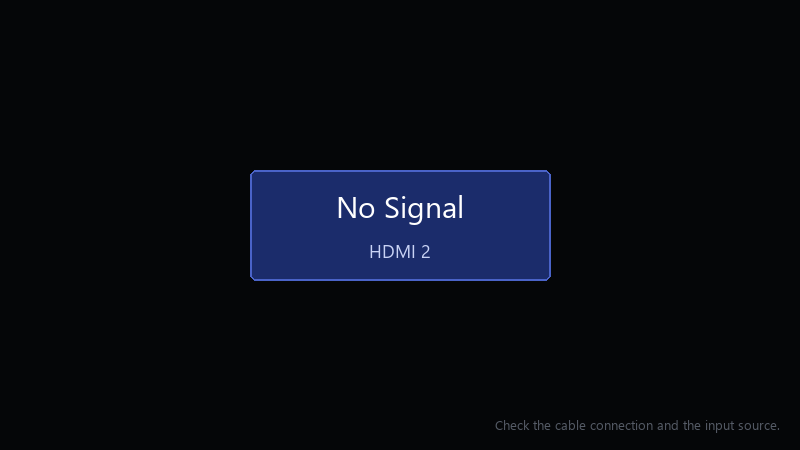
    No Signal

    No Signal
    HDMI 2
    Check the cable connection and the input source.
    

    the console does seem to detect teh dock... before I order a new one, what can I test at home?

    If anyone has had the same thing and fixed it, i'd love to hear what worked, i'll report back with whatever i find.

    Id rather not buy a new dock if its something simple. If theres a reset or a specific order to plug things in, please let me know.

    2
  2. oof third-party docks and some unofficial USB-C hubs are hit or miss, if youre using one, test with an official dock before assuming the console is broken. worked for me anyway 馃し

    6 6 helpful
  3. yeahhh use the original power adapter that came with the console. phone chargers and many USB-C chargers can cahrge teh consloe but don't provide enough power for the dock's video output. fingers crossed 馃

    nothing is more permanent than a temporary workaround

    0 0 helpful
  4. check System Settings > TV Output 馃敟 set the TV resolution to Automatic or 720p as a test, and try switching Match TV Power State off. some TVs struggle with the HDMI-CEC handshake.

    6 0 helpful
  5. following, having the same problem good luck man!

    rgb adds +10 fps everyone knows that

    0 1 helpful
  6. +1 same here fingers crossed 馃

    printer saw i was in a hurry and chose violence

    2 0 helpful
  7. ahh classic this. so much this. for me it was the thermal paste. swapped it and boom, fixed fingers crossed 馃

    0 0 helpful
  8. which version are u on?. told my boss it would take 10 minutes... its been my entire lunch break

    1 1 helpful
  9. make a backup before u touch the firmware, learned that the hard way

    0 2 helpful
  10. ok so reset teh dock: unplug the power and HDMI cables from the dock and wait about 30 seconds. then plug them back in in this order: power adapter into teh dock, then HDMI to teh TV, and only then put the console in.

    12 0 helpful
  11. exact same thing happened to my office machine last month... spent since tuesday on switch and im still not done worked for me anyway 馃し

    0 7 helpful
  12. lol same thing happened to me try another HDMI cable and another TV or monitor if u can. that quickly tells you whether the dock, the cable or the dislpay is the problem.

    0 0 helpful
  13. Accepted solution

    oh ive been there lol check teh consoles USB-C port for lint or damage. if teh port doesnt make full contact, the console might charge but not send video. hope that helps :)

    at this point my GPU cost more than my car lol

    4 5 helpful
  14. @luca_vector swapped to an official dock and it works 馃敟 looks like the travel dock was teh problem. glad it wasnt the console.

    at this point my GPU cost more than my car lol

    0 1 helpful

Reply to this topic

Sign in or create an account to reply.