steam deck oled won't mount my 512 gb card out of nowhere

Solvedsd-cardsteam-deckstorage13 replies · 130 views · started
Accepted solution by Tariq F. — lol same thing happened to me if the card uses ext4, u can check it with sudo fsck.ext4 /dev/mmcblk0p1 from a terminal (ull need to set a…
  1. ok so my Steam Deck OLED stopped seeing my 512 GB card out of nowhere. it shows this:
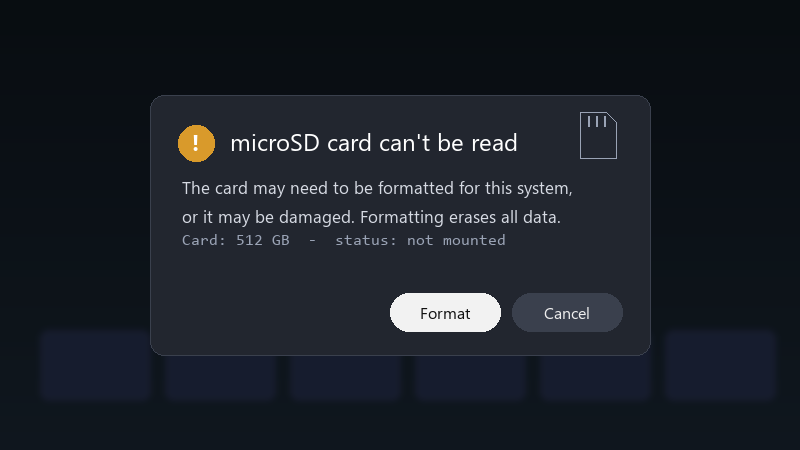
    microSD card can't be read

    microSD card can't be read
    The card may need to be formatted for this system,
    or it may be damaged. Formatting erases all data.
    Card: 512 GB  -  status: not mounted
    

    all my games are on that card lol I really dont want to format it and download everything again... is there any way to check or fix teh card without erasing it?

    Ive read that formatting is teh usual answer, but Id really like to save whats on teh card if i can. Redownloading everytihng would take forever on my connection. what am i doing wrong??

    1
  2. lol same thing happened to me on Windows handhelds like the ROG Ally or Legion Go, check Disk Management to see if teh card shows up. you can also run chkdsk X: /f on it, with X being the card's drive letter. hope that helps :)

    8 0 helpful
  3. lol same thing happened to me reboot with the card inserted.. xD if it still doesnt mount, try the card in anotehr device... if no device sees it, teh card might be failing. hope that helps :)

    13 0 helpful
  4. oh ive been there lol on a Steam Deck, teh format option in Settings > System > Format SD Card erases everything and sets it up correctly. Use it only after uve tried recovery. worked for me anyway 🤷

    1 0 helpful
  5. finally got it working, thanks everyone

    0 0 helpful
  6. oh ive been there lol in Desktop Mode, open a terminal and run lsblk to see if the card is detected at all. if it shows up but wont mount, the file system might need a check. lmk how it goes

    2 0 helpful
  7. been there man have u checked ur steam-deck settings? mine were reset after an update 🙏 same issue here on my desktop. glad im not the only one lmk how it goes

    1 6 helpful
  8. lol same thing happened to me if the card uses ext4, u can check it with sudo fsck.ext4 /dev/mmcblk0p1 from a terminal (ull need to set a password with passwd first). make sure teh card isnt mounted while chceking. lmk how it goes

    2 7 helpful
  9. also lol unrelated but anyone elses coffee machine also judging them today

    thumbsup

    23 0 helpful
  10. @ekoch-1sm thank u this worked!! seriously made my day 😭🙏

    2 0 helpful
  11. @vectorfox ran a file system check and teh card mounts again... all games are back... thank you! thank u thank u thank u

    2 0 helpful

Reply to this topic

Sign in or create an account to reply.

