Steam Deck OLED Won't Mount My 1 TB MicroSD After An Update

Solvedsd-cardsteam-deckstorage6 replies 路 344 views 路 started

Accepted solution

by Tess A.Jump to the reply

yeahhh on Windows handhelds like teh ROG Ally or Legion Go, check Disk Management to see if the card shows up. You can also run chkdsk X: /f on it, with X being the cards drive letter. lmk how it goes

  1. this happened after an update on my Steam Deck OLED:
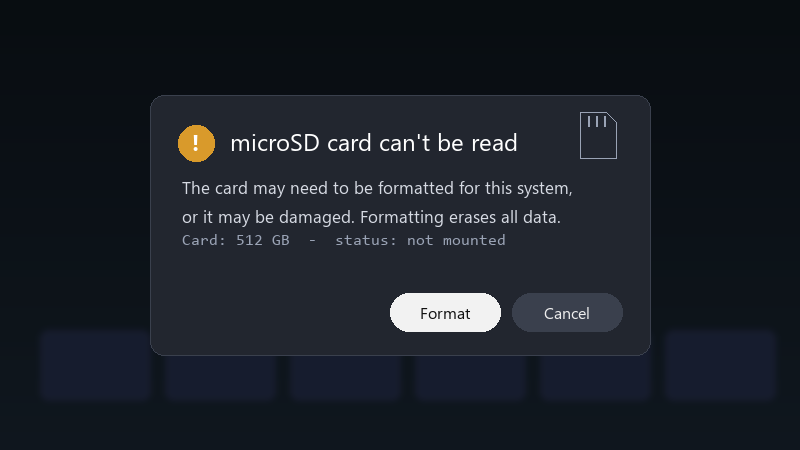
    microSD card can't be read

    microSD card can't be read
    The card may need to be formatted for this system,
    or it may be damaged. Formatting erases all data.
    Card: 512 GB  -  status: not mounted
    

    The card is a 1 TB microSD. i tried rebooting and reseating it. Nothing. i cant even tell if the card is dead or just has a broken file system 馃槀 What should i try first??

    im comfortable following steps in a terminal if someone explains them... im just not sure where to start, and i dont want to make things worse.

    Id also love to know how to avoid this in the future lmao Is it the card, the device, or just bad luck? any ideas??

    13
  2. ahh classic on a Steam Deck, the format option in Settings > System > Format SD Card erases everything and sets it up correctly. use it only after youve tried recovery. hope that helps :)

    0 0 helpful
  3. ahh classic bump. still happening with microsd for me. @subnet_nomad321 did u ever fix it??

    RAM prices doing their own thing again smh

    6 6 helpful
  4. wait any update on this??

    day one patch is bigger than the actual game, classic

    0 0 helpful
  5. is steam even worth bothering with or should i just leave it... pro tip: write down what u change. i didnt and had to redo steam-deck from scratch ?

    1 0 helpful
  6. Accepted solution

    yeahhh on Windows handhelds like teh ROG Ally or Legion Go, check Disk Management to see if the card shows up. You can also run chkdsk X: /f on it, with X being the cards drive letter. lmk how it goes

    12 7 helpful

Reply to this topic

Sign in or create an account to reply.

