BATTERY DRAIN IN SLEEP ON MY ROG ALLY: NORMAL OR BROKEN?

Solvedbatterysleepwindows-handheld14 replies · 445 views · started
Accepted solution by Juno Arslan — ahh classic on Windows handhelds, run powercfg /sleepstudy in an admin terminal. It creates a report showing what kept the device awake…
  1. ok so i put my ROG Ally to sleep by pressing power mid-game, and when i picked it up later it showed this:
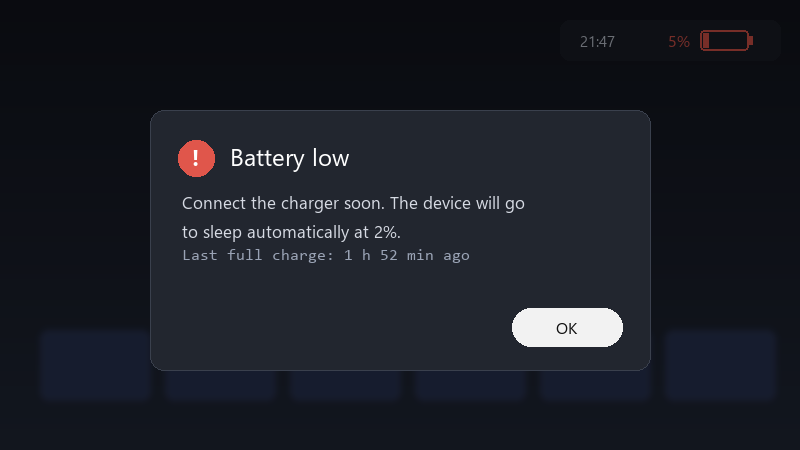
    Battery low

    Battery low
    Connect the charger soon. The device will go
    to sleep automatically at 2%.
    Last full charge: 1 h 52 min ago
    

    it lost 10% per hour asleep... that makes it hard to rely on as a grab-and-go device. is this normal for handhelds, or is something keeping it awake??

    i bought a handheld speicfically to be able to pick it up and play for ten minutes. Right now i cant trust it to have any battery left when i need it. thx in advance!!

    13
  2. Do you put it in a bag while sleeping?

    1 1 helpful
  3. came here to say exactly this hope that helps :)

    at this point my GPU cost more than my car lol

    0 0 helpful
  4. ok this thread just saved my weekend

    0 0 helpful
  5. any update on this?. +1 same here

    4 5 helpful
  6. lol same thing happened to me check teh manufacturer's companion app for a sleep or standby option. Some handhelds offer their own low-power mode that drains less than standard Windows sleep.

    3 1 helpful
  7. Update the BIOS and the manufacturers companion app. Many sleep and power issues have been addressed in updates for handhelds.

    2 0 helpful
  8. Consider hibernate instead of sleep for longer breaks. Enable it with powercfg /hibernate on, then add it to the power menu in Control Panels power options. good luck man!

    0 0 helpful
  9. any update on this??

    1 1 helpful
  10. oof in Device Manager, open the network adapters properties and turn off Allow this device to wake the computer on the Power Management tab. Network activity is a common cause of drain. worked for me anyway 🤷

    this vid explains it way better than me lol

    ▶ How To : Generate a Battery Report in Windows 10

    0 5 helpful
  11. ahh classic on Windows handhelds, run powercfg /sleepstudy in an admin terminal. It creates a report showing what kept the device awake during sleep sessions. good luck man!

    0 3 helpful
  12. @lwalsh_30 works on paper, not in real life just my 2 cents

    0 0 helpful
  13. @mutex_owl-3ak thank u this worekd!!

    1 0 helpful

Reply to this topic

Sign in or create an account to reply.