online play keeps failing. things i tried, things that worked

Solvednetworkonlineswitch5 replies · 144 views · started

Accepted solution

by FelixJump to the reply

hmmm run System Settings > Internet > Test Connection and check the NAT type. NAT type A or B is usually fine for most games. C, D or F can cause exactly this.

  1. Need help. My Switch 2 keeps failing to connect to the eShop:
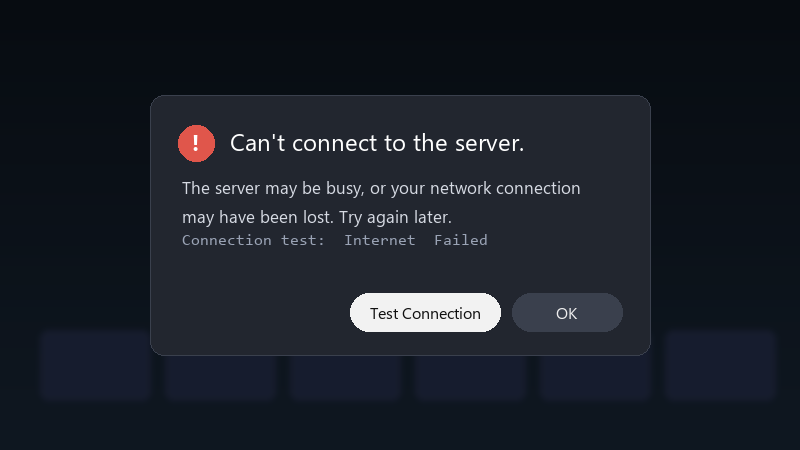
    Can't connect to the server.

    Can't connect to the server.
    The server may be busy, or your network connection
    may have been lost. Try again later.
    Connection test:  Internet  Failed
    

    The connection test passes sometimes and fails other times. I'm on home Wi-Fi. I've restarted the router and the console. Is there a setting I'm missing, or is this a known issue?

    Ive seen ppl mention NAT types and router settings, but i dont really know where to start. A simple checklist would be amazing.

    I'm happy to try settings changes and report back. I just want to be able to play online again without restarting everything every time.


    2
  2. hmmmm quick q does it fail on every game or only one?

    0 2 helpful
  3. hmmm check teh official network status page for maintenance or outages. If a servcie is down, the console shows a generic error that looks like a local problem.

    5 1 helpful
  4. Accepted solution

    hmmm run System Settings > Internet > Test Connection and check the NAT type. NAT type A or B is usually fine for most games. C, D or F can cause exactly this.

    0 5 helpful
  5. hmmmm not sure about that id avoid putting teh console in the routers DMZ unless you realy know what youre doing. UPnP is safer.

    nothing is more permanent than a temporary workaround

    2 0 helpful

Reply to this topic

Sign in or create an account to reply.
