CLEARED EVERYTHING, STILL CANT SIGN IN. WHAT AM I MISSING? !!

Solvednetworksign-inxbox9 replies · 349 views · started
Accepted solution by Freya Brandt — ok so on a hotspot or shared building network, try a different connection temporarily. some shared networks block the ports teh console…
  1. has anyone dealt with 0x80a40019? my Xbox Series X can't sign in after a system update:
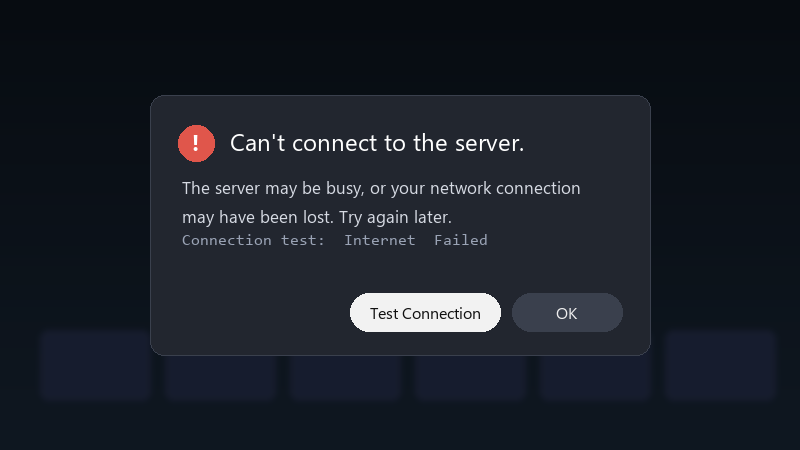
    Can't connect to the server.

    Can't connect to the server.
    The server may be busy, or your network connection
    may have been lost. Try again later.
    Connection test:  Internet  Failed
    

    The network test says Im connected to the internet, but the sign-in still fails. Im on a mobile hotspot. My profile picture just sits there with a spinner and then gives up. Id really like to avoid factory resetting, I have a lot installed.

    Ive already tried the obvious stuff: restarting everything, checking cables, waiting an hour 😅 It still fails. What should I look at next?


    cry

    4
  2. Check the consoles date, time and time zone. If theyre wrong, secure connections to the service can fail even when the internet itself is fine. hope that helps :)

    0 6 helpful
  3. @tariq_uplink works on paper, not in real life. came here to say exactly this

    3 0 helpful
  4. lol same thing happened to me this, so much this

    0 0 helpful
  5. lol same thing happened to me check the online service stauts page first. if theres an outage for sign-in, nothing local will help, and it saves u an hour of troubleshooting.

    3 5 helpful
  6. Accepted solution

    ok so on a hotspot or shared building network, try a different connection temporarily. some shared networks block the ports teh console needs, and a different network is teh quickest way to prove it. hope that helps :)

    0 2 helpful
  7. ehh id be careful with port forwarding guides. enabling UPnP on the rouetr is safer and usually enough. but hey ymmv

    1 0 helpful
  8. oof +1 same here

    2 7 helpful
  9. so annoyed rn ok this thread just saved my weekend

    2 0 helpful
  10. @freyab189 omg finally turned on UPnP on the router and the NAT is open now. sign-in works and teh multiplayer test passes. thanks everyone. seriously made my day 😭🙏

    6 0 helpful

Reply to this topic

Sign in or create an account to reply.