"Controller Disconnected" When I Sit On The Couch. New Batteries Didnt Help

Solvedbluetoothcontrollerxbox12 replies · 391 views · started
Accepted solution by Mila Costa — been there man if one controller drops and another doesnt in the same place, the controller is likely the problem... if both drop, look at…
  1. not gonna lie this is driving me nuts my third-party wireless controller keeps disconnecting from my Xbox One X when i sit on teh couch. the game pauses and i get this:
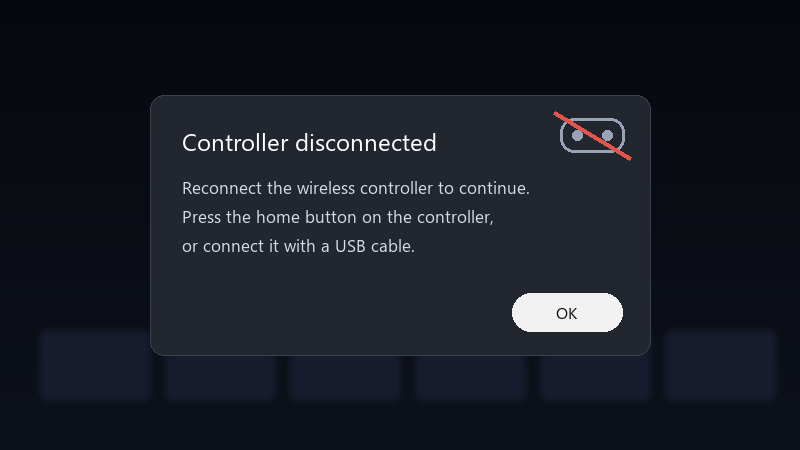
    Controller disconnected

    Controller disconnected
    Reconnect the wireless controller to continue.
    Press the home button on the controller,
    or connect it with a USB cable.
    

    i put in fresh batteries, i re-paired it with teh sync butotn, and i even moved closer to teh TV. it reconnects after a few seconds, but in competitive games those seconds matter. is there something in settings, or is teh controller faluty?

    I tried a second controller from a friend for comparison, and it seemed a bit better, but Im not sure if that was luck. Id rather understand teh cause. thx in advance!!

    2
  2. wait have you updated the controller firmware?

    2 0 helpful
  3. If u have many wireless devices paired to the console, remove the ones you dont use. Fewer active connections can reduce dropouts. fingers crossed 🤞

    0 11 helpful
  4. hmmm re-pair properly: press teh pair butotn on teh console, then hold teh pair button on teh controller until the Xbox button flashes fast. do this after the firmware update.

    0 2 helpful
  5. make a backup before u touch the fan curve, learned that teh hard way

    0 2 helpful
  6. ok so honestly just reset the fan curve and save yourself the pain. reading this at 2am instead of sleeping, no regrets hope that helps :)

    reading release notes like its a horror novel

    1 0 helpful
  7. ok so batteries matter more than people think. Low-quality or partly drained rechargeables can drop voltage under rumble. Test with fresh alkaline AAs or a USB cable to rule this out.

    the real fix was the friends we made along the way

    2 0 helpful
  8. yeahhh same issue here on my desktop. no idea whats going on. try turning off the antivirus first, fixed it for me

    1 7 helpful
  9. Accepted solution

    been there man if one controller drops and another doesnt in the same place, the controller is likely the problem... if both drop, look at placement and interference first. lmk how it goes

    4 2 helpful
  10. @milac304 omggg re-paired after the update and its been fine when i sit on teh couch ever since. glad i didnt buy a new controller.

    party

    9 12 helpful

Reply to this topic

Sign in or create an account to reply.
