
Steam Deck LCD Won't Mount My Cheap 1 TB Card Out Of Nowhere

sd-cardsteam-deckstorage71 replies · 825 views · started
  1. long time lurker first post lol this happened out of nowhere on my Steam Deck LCD:
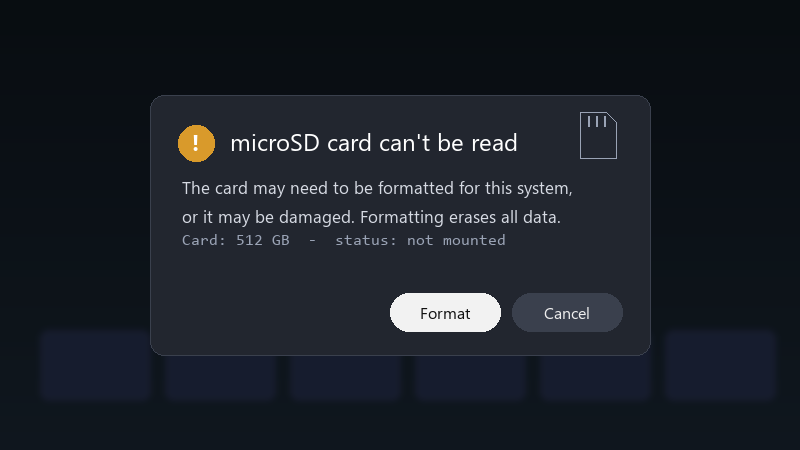
    microSD card can't be read

    microSD card can't be read
    The card may need to be formatted for this system,
    or it may be damaged. Formatting erases all data.
    Card: 512 GB  -  status: not mounted
    

    the card is a cheap 1 TB card. i tried rebooting and reseating it. nothing. i cant even tell if teh card is dead or just has a broken file system 👍 what should i try first?

    im comfortable following steps in a terminal if someone explains them... im just not suree where to start, and i dont want to make things worse.

    id also love to know how to avoid this in the future. is it the card, teh device, or just bad luck? pls help 🙏

    printer saw i was in a hurry and chose violence

    rage

    1
  2. Cheap high-capacity cards are often counterfeit. Test them on a PC with H2testw or F3 before trusting them with your library. worked for me anyway 🤷

    thinking

    0 0 helpful
  3. +1 same here

    day one patch is bigger than the actual game, classic

    0 1 helpful
  4. @bytebench what did u end up doing in the end ??

    thinking

    1 0 helpful
  5. oh ive been there lol same issue here on my desktop. glad im not the only one good luck man!

    1 4 helpful
  6. long time lurker first post lol my homelab box is officially haunted

    28 0 helpful
  7. reading this at 2am instead of sleeping, no regrets. bump 😭 still hpapening with steam-deck for me im about to throw this thing out the window lol

    1 1 helpful
  8. uhh dumb question but how do i even check the settings 😅 for me it was teh fan curve. swapped it and boom, fixed ??

    6 2 helpful
  9. wait wait does this also apply to steam?

    0 1 helpful
  10. been there man try turning off the antivirus first, fixed it for me hope that helps :)

    6 0 helpful
  11. yeahhh this... sooo much this... reading this at 2am instaed of sleeping, no regrets good luck man!

    12 0 helpful
  12. yeahhh make a backup before u touch teh cable, learned that teh hard way hope that helps :)

    4 0 helpful
  13. ok this thread just saved my weekend. wait does this also apply to steam?

    6 1 helpful
  14. if the card uses ext4, u can check it with sudo fsck.ext4 /dev/mmcblk0p1 from a terminal (ull need to set a password with passwd first). Make sure the card isnt mounted while checking. worked for me anyway 🤷

    2 2 helpful

Reply to this topic

Sign in or create an account to reply.

