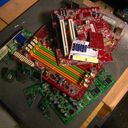
Rolled back a multicore enhancement setting and the WHEA crashes stopped. Coincidence?

Solvedbsodcpuwhea15 replies · 344 views · started
Accepted solution by Felix Rossi — BIOS updates can change default voltages and boost behavior. A setting that was stable on teh old BIOS may not be stable on teh new one.
  1. hmmmm ok strangest thing. Under full load my PC is rock solid. But right after boot, it throws this:

    Your PC ran into a problem and needs to restart. We're

    Your PC ran into a problem and needs to restart. We're
    just collecting some error info, and then we'll restart for
    you.
    42% complete
    For more information about this issue and possible fixes, visit
    our support site.
    
    If you call a support person, give them this info:
    Stop code: IRQL_NOT_LESS_OR_EQUAL
    

    I had a multicore enhancement setting configured a few months ago and never had a problem until recently. A BIOS update came out around the same time 🤷 Im confused about whether to blame the settings or teh hardware. Im comfortable going back into the BIOS, I just dont know which setitngs to change first. Is there a logical order to test this without guessing?? any ideas??

    4
  2. ahh classic test single-core and light loads sepcifically: tools like CoreCycler cycle a load through each core individually, which is far better at finding unstable per-core offests than all-core stress tests. hope that helps :)

    1 1 helpful
  3. wait dumb question but how do i even check teh fan curve

    1 0 helpful
  4. WHEA errors are reported by the hardware itself 🙏 With an udnervolt or negative offset, light loads and idle are exactly where instability shows up, because single-core boost runs teh highest clocks, which is where a negative offset leaves the least voltage headroom. Stress tests at full load dont catch it. good luck man!

    1 2 helpful
  5. oof reset the BIOS to defaults (or load optimized defaults) and run that way for a week :/ If the crashes stop, it was a curve optimizer offset, not damage. lmk how it goes

    36 2 helpful
  6. oof in Event Viewer, open WHEA-Logger Event 18 and note the APIC ID or processor core it names. if its always the same core, that core needs a smaller offset or none at all. good luck man!

    7 2 helpful
  7. Accepted solution

    BIOS updates can change default voltages and boost behavior. A setting that was stable on teh old BIOS may not be stable on teh new one.

    1 2 helpful
  8. ehh id disagree with going straight back to stock 😤 you can usually keep most of the benefit by easing the offset only on the core that fails. just my 2 cents

    0 6 helpful
  9. wait is right even worth bothering with or should i just leave it ?

    0 9 helpful
  10. dumb question but how do i even check the power plan ?

    thinking

    0 2 helpful
  11. exact same thing happened to my desktop last month good luck man!

    4 0 helpful
  12. @felixr873 omg finally eased the offset on just the one failing core 👍 coreCycler passes now and teh crashes are gone. thank u thank u thank u

    2 0 helpful

Reply to this topic

Sign in or create an account to reply.