why does my rog ally drain more asleep than id expect while asleep?

Solvedbatterysleepwindows-handheld18 replies · 517 views · started
Accepted solution by Basil — hmmm run powercfg /a to see which sleep states are available... many Windows handhelds use Modern Standby, which keeps some activity…
  1. help!! this is driving me nuts. My ROG Ally drains more asleep than Id expect in sleep:
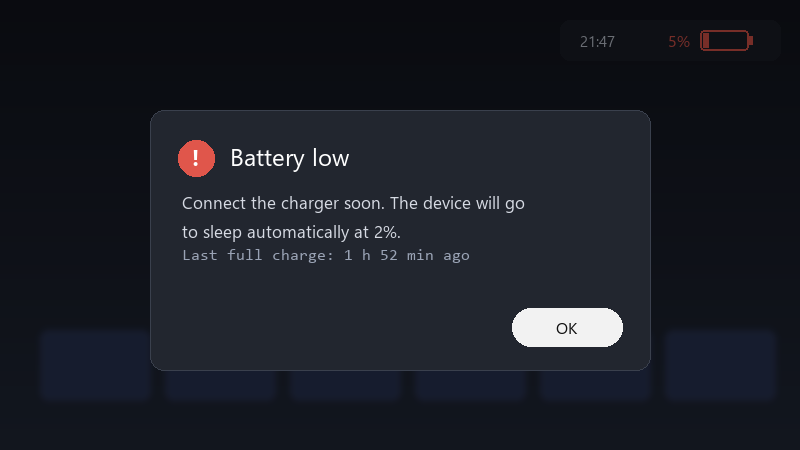
    Battery low

    Battery low
    Connect the charger soon. The device will go
    to sleep automatically at 2%.
    Last full charge: 1 h 52 min ago
    

    ive tried pressing power mid-game, but it doesnt seem to make a difference, is there a way to see whats draining it?

    id love to hear what settings others use, sleep, hibernate, or just shutitng it down every time? what works best for you??

    i bought a handheld specifically to be able to pick it up and play for ten minutes. Right now i cant trust it to have any battery left when i need it. pls help 🙏

    it works on my machine™

    rage

    2
  2. do you put it in a bag while sleeping?? ??

    day one patch is bigger than the actual game, classic

    0 0 helpful
  3. bump. still happening with windows-handheld for me

    1 0 helpful
  4. wait wait does this also apply to power?. make a backup before u touch the firmware, learned that the hard way ?

    0 0 helpful
  5. ok update: did what @cleo.iqbal said and its fine now. dumb question but how do i even check teh cache cant believe it was that simple lol

    6 0 helpful
  6. been there man in Device Manager, open teh network adapters properties and turn off Allow this device to wake teh compuetr on the Power Management tab, network atcivity is a common cause of drain.

    6 0 helpful
  7. this, so much this... spent two days on sleep and im still not done fingers crossed 🤞

    4 0 helpful
  8. ok so reading this at 2am instead of sleeping, no regrets thx in advance!!

    0 0 helpful
  9. @elena.mendes did u ever fix it?

    it works on my machine™

    2 1 helpful
  10. hmmm on Windows handhelds, run powercfg /sleepstudy in an admin terminal. it creates a report showing what kept teh device awake during sleep sessions. lmk how it goes

    0 1 helpful
  11. consider hibenrate instead of sleep for longer breaks... enable it with powercfg /hibernate on, then add it to the power menu in Control Panels power options.

    1 0 helpful
  12. Update teh BIOS and teh manufacturers companion app. Many sleep and power issues have been addressed in updates for handhelds. worked for me anyway 🤷

    1 0 helpful
  13. Check the manufacturers companion app for a sleep or standby option. Some handhelds offer their own low-power mode that drains less than standard Windows sleep. good luck man!

    5 2 helpful
  14. Accepted solution

    hmmm run powercfg /a to see which sleep states are available... many Windows handhelds use Modern Standby, which keeps some activity running and can drain more than traditional sleep. lmk how it goes

    0 13 helpful
  15. reading this at 2am isntead of sleeping, no regrets

    0 0 helpful
  16. oh ive been there lol have u checked your mid-game settings?? mine were reset after an update

    6 2 helpful
  17. @basilo431 holy cow disabled network wake and updated the BIOS. My ROG Ally now loses only a few percent overnight :D Thanks!

    4 0 helpful

Reply to this topic

Sign in or create an account to reply.