"CANT CONNECT TO THE SERVER" EVERY TIME I TRY ONLINE MULTIPLAYER

Solvednetworkonlineswitch5 replies · 85 views · started
Accepted solution by Xavi Rossi — oof enable UPnP on teh router if its off. It lets the console open the ports it needs and often improves teh NAT type. fingers crossed 🤞
  1. long time lurker first post lol i wanna play online multiplayer on my original Switch, but I keep getting this:
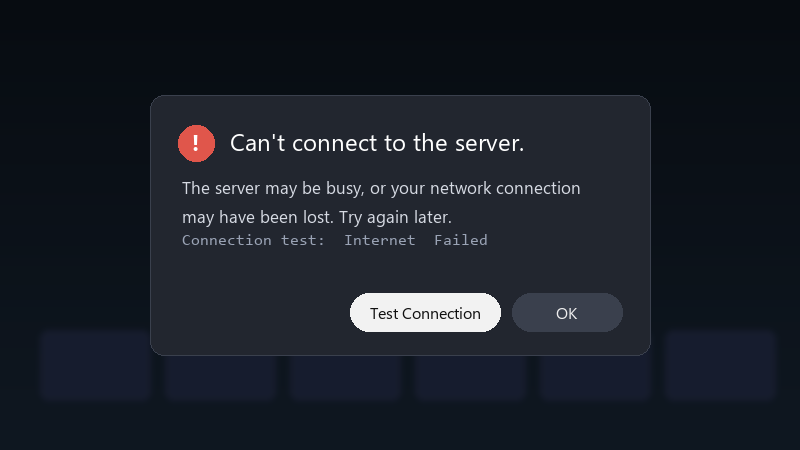
    Can't connect to the server.

    Can't connect to the server.
    The server may be busy, or your network connection
    may have been lost. Try again later.
    Connection test:  Internet  Failed
    

    Im on a moible hotspot. My phone and laptop work fine. The console says its connected to the internet in the settings, but as soon as i try to actually go online, it fails. Im missing out on game nights with friends. What should i check?

    Game night is in two days, and I realy dont want to be the one who cant join lol Any ideas are welcome, even basic ones.


    16
  2. Run System Settings > Internet > Test Connection and check the NAT type. NAT type A or B is usually fine for most games. C, D or F can cause exactly this.

    7 0 helpful
  3. ok so pro tip: write down what u change... i didnt and had to redo hotspot from scratch, my destkop is officially hanuted lmk how it goes

    windows update said 'this will only take a moment' 3 hours ago

    0 2 helpful
  4. Accepted solution

    oof enable UPnP on teh router if its off. It lets the console open the ports it needs and often improves teh NAT type. fingers crossed 🤞

    0 5 helpful
  5. @xavir656 The MTU change fixed it. No idea why, but online multiplayer connects every time now. owe u a beer 🍺

    5 2 helpful

Reply to this topic

Sign in or create an account to reply.