Is It My Special-Edition Controller, The Console, Or The Room?

Solvedbluetoothcontrollerxbox16 replies · 543 views · started
Accepted solution by Rowan Duarte — ok so if you have many wireless devices paired to the console, remove the ones you dont use. Fewer active connections can reduce dropouts.
  1. im literally losing my mind here this is driving me crazy. my special-edition controller drops every few minutes and teh console shows:
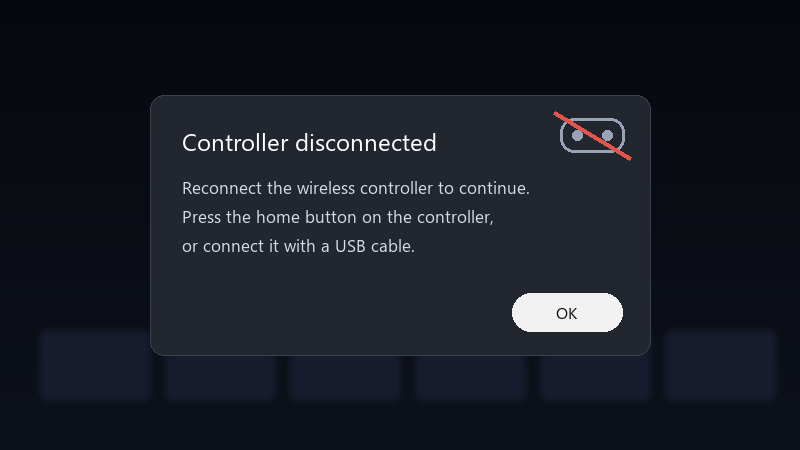
    Controller disconnected

    Controller disconnected
    Reconnect the wireless controller to continue.
    Press the home button on the controller,
    or connect it with a USB cable.
    

    It happens on my Xbox Series S in every game. A wired USB connection works perfectly, so its something wireless. Id rather not buy a new controller if its a setting. What should i check?

    it's especially bad in competitive games where a few secodns of disconnect mean losing a round. A cable works, but i'd love to be wireless again. what am i doing wrong??

    2
  2. been there man update the controller firmware. On the console open teh Xbox Accessories app, select teh controller and check for updates :/ Connect it with a USB cable while updating.

    12 0 helpful
  3. move the cosnole out of the cabinet or away from metal and other wireless devices :) xbox controllers use their own wireless protocol on teh console, and enclosed spaces and interference cause exactly this pattern.

    3 1 helpful
  4. pro tip: write down what u change 😤 i didnt and had to redo minutes from scratch. wait does this also apply to every?

    9 0 helpful
  5. omggg ok update: did what @signalhound said and its fine now cant believe it was that simple lol

    0 0 helpful
  6. Batteries matter more than people think. Low-quality or partly drained rechargeables can drop voltage under rumble. Test with fresh alkaline AAs or a USB cable to rule this out.

    1 0 helpful
  7. oh also page 1 lets gooo. +1 same here

    0 0 helpful
  8. oh ive been there lol if one controller drops and another doesn't in the same place, the controller is likely the problem. If both drop, look at placement and interference first.

    1 0 helpful
  9. been there man re-pair properly: press the pair button on the console, then hold the pair button on the controller until the Xbox button flashes fast. do this after the firmware update.

    0 0 helpful
  10. oh ive been there lol try turning off the driver first, fixed it for me

    1 0 helpful
  11. Accepted solution

    ok so if you have many wireless devices paired to the console, remove the ones you dont use. Fewer active connections can reduce dropouts.

    1 7 helpful
  12. came here to say exactly this hope that helps :)

    3 7 helpful
  13. this. so much this good luck man!

    1 0 helpful

Reply to this topic

Sign in or create an account to reply.

