BEFORE YOU FORMAT YOUR MICROSD, READ THIS??

Solvedmicrosdstorageswitch17 replies · 225 views · started
Accepted solution by Liv Silva — First, check which card your console needs. Switch 2 only works with microSD Express cards for games. A regular microSD card wont work…
  1. Okay, i'm worried. My second-hand Switch worked fine with my 256 GB card until out of the box. Now:
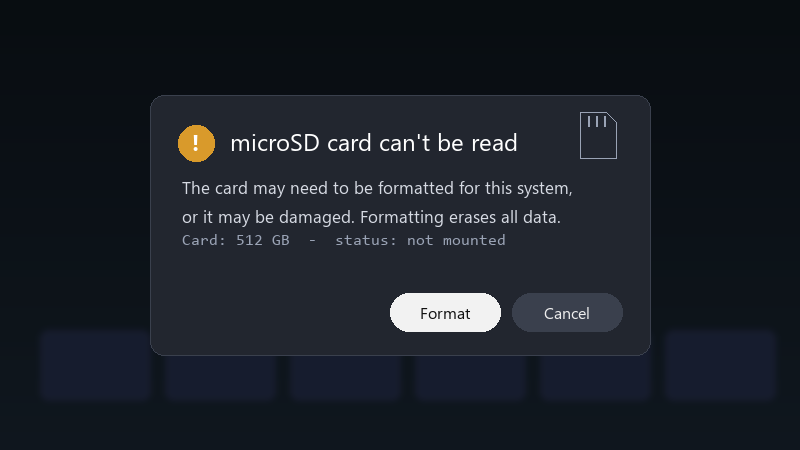
    microSD card can't be read

    microSD card can't be read
    The card may need to be formatted for this system,
    or it may be damaged. Formatting erases all data.
    Card: 512 GB  -  status: not mounted
    

    The card shows up fine on my laptop, at least teh foledrs do. I haven't formatted anything yet. What should I check before I hit that button?

    I'd rather not lose my screenshots and videos if there's any way to save them... the games I can download again, but the memories are another story.

    i'm not in a rush, but i'd like to buy the right thing next time. If anyone can explain what to look for in a card, that would help a lot. seriously need help here 😭


    facepalm

    0
  2. been there man cheap high-capacity cards from unknown sellers are often fake: they report a big size but fail once you write past their real capacity. test it on a PC with a tool like H2testw or F3 before trusting it. lmk how it goes

    31 0 helpful
  3. hmmm format inisde the console, not on the PC: System Settings > System > Formatting Options > Format microSD Card. formatting on a PC with the wrong settings is a common reason teh console wont accept a card. fingers crossed 🤞

    1 0 helpful
  4. hmmm is siwtch even worth bothering with or should i just leave it... same issue here on my second monitor setup. no idea whats going on ?

    0 0 helpful
  5. been there man same issue here on my laptop. following this thread. lol this thread is gold fingers crossed 🤞

    0 4 helpful
  6. pro tip: write down what u change. i didnt and had to redo microsd from scratch

    0 0 helpful
  7. lol same thing happened to me try turning off the extension first, fixed it for me good luck man!

    2 0 helpful
  8. yeahhh clean teh slot gently and reseat teh card with the console fully off. Pulling a card out while the console is on can corrupt it.

    2 4 helpful
  9. Make sure the system software is up to date before trying a large card. Some older firmware versions needed an update for exFAT support on the original Switch.

    2 2 helpful
  10. ok so take a screenshot backup if you can: put the card in a PC and copy the whole Nintendo folder to your computer bfeore formatting anything ;) game data can be downloaded again, but screenshots and videos cant.

    9 2 helpful
  11. ok weird one spent two days on second-hand and im still not done. dumb question but how do i even check the driver

    0 2 helpful
  12. First, check which card your console needs. Switch 2 only works with microSD Express cards for games. A regular microSD card wont work there, even if it worekd in an original Switch.

    1 3 helpful
  13. @wrenj195 works on paper, not in real life

    0 0 helpful
  14. @quinnf673 did u ever fix it? ?

    2 2 helpful
  15. oof pro tip: write down what u change. i didnt and had to redo microsd from scratch lmk how it goes

    6 2 helpful
  16. im literally losing my mind here lol this thread is gold seriously need help here 😭

    1 0 helpful
  17. @liv_quiet holy cow the card was fake. Got a proper card from a reputable store, formtated it in the second-hand Switch, and it works perfectly.

    nothing is more permanent than a temporary workaround

    9 0 helpful

Reply to this topic

Sign in or create an account to reply.