IS MY CARD I FORMATTED ON WINDOWS DEAD, OR CAN I FIX THIS WITHOUT FORMATTING??

Solvedsd-cardsteam-deckstorage14 replies · 448 views · started
Accepted solution by Rhea Q. — hmmm if teh card uses ext4, you can check it with sudo fsck.ext4 /dev/mmcblk0p1 from a terminal (you'll need to set a password with passwd…
  1. help!! this hapepned after teh battery died on my Legion Go:
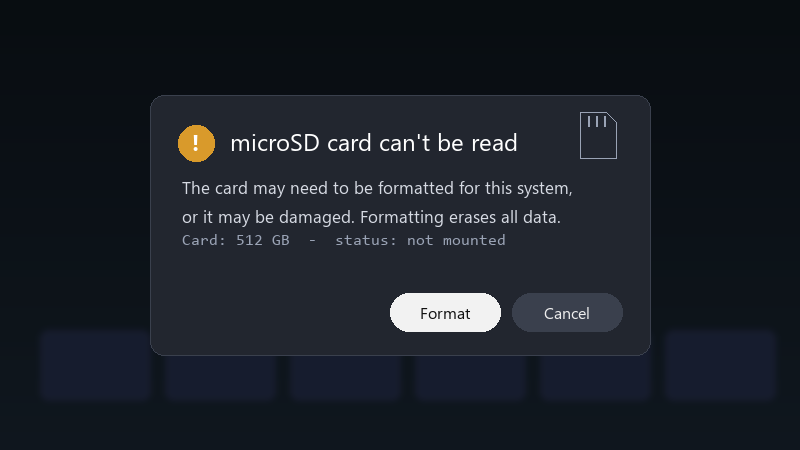
    microSD card can't be read

    microSD card can't be read
    The card may need to be formatted for this system,
    or it may be damaged. Formatting erases all data.
    Card: 512 GB  -  status: not mounted
    

    the card is a card i formatted on Windows. i tried rebooting and reseatnig it. nothing. i cant even tell if the card is dead or just has a broken file system. what should i try first?

    im comfortable following steps in a terminal if someone explains them. im just not sure where to start, and i dont want to make things worse.

    id also love to know how to avoid this in teh future, is it teh card, teh device, or just bad luck??

    24
  2. on a Steam Deck, the format option in Settings > System > Format SD Card erases everything and sets it up correctly. use it only after you've tried recovery.

    3 0 helpful
  3. In Desktop Mode, open a terminal and run lsblk to see if the card is detected at all. If it shows up but won't mount, the file ssytem might need a check.

    33 3 helpful
  4. on Windows handhelds like the ROG Ally or Legion Go, check Disk Management to see if teh card shows up. you can also run chkdsk X: /f on it, with X being the cards drive letter. hope that helps :)

    0 1 helpful
  5. oh ive been there lol make a backup before u touch the extension, learned that the hard way

    0 0 helpful
  6. oof cheap high-capacity cards are often counterfeit... test them on a PC with H2testw or F3 before trusting them with your library. fingers crossed 🤞

    lol

    4 0 helpful
  7. Accepted solution

    hmmm if teh card uses ext4, you can check it with sudo fsck.ext4 /dev/mmcblk0p1 from a terminal (you'll need to set a password with passwd first) 🔥 Make sure the card isnt mounted while checking.

    2 5 helpful
  8. oh also mods can we pin this thread

    2 5 helpful
  9. hmmmm ok my mac is officially haunted. @ember_den342 did u ever fix it? what am i doing wrong??

    rage

    2 0 helpful
  10. oh ive been there lol bump... still happening with after for me. is formatted even worth bothering with or should i just leave it

    1 0 helpful
  11. hmmm +1 same here good luck man!

    2 0 helpful
  12. ok update: did what @proxyden said and its fine now

    mindblown

    2 0 helpful
  13. @binarysprite turned out the card was counterfeit. capacity test failed halfway... new card, problem solved. thank u thank u thank u

    0 5 helpful

Reply to this topic

Sign in or create an account to reply.