Disc Errors On Launch-Model PS5: Clean It, Replace It, Or Send The Console In??

Solveddiscerror-codeps55 replies · 323 views · started
Accepted solution by Oskar Brandt — clean teh disc with a soft microfibre cloth, wiping straight lines from teh centre outward, never in circles. fingerprints and haze are…
  1. guys pls help this started out of nowhere on my launch-model PS5. insert a used disc from a shop, wait, a quiet whirring, then:
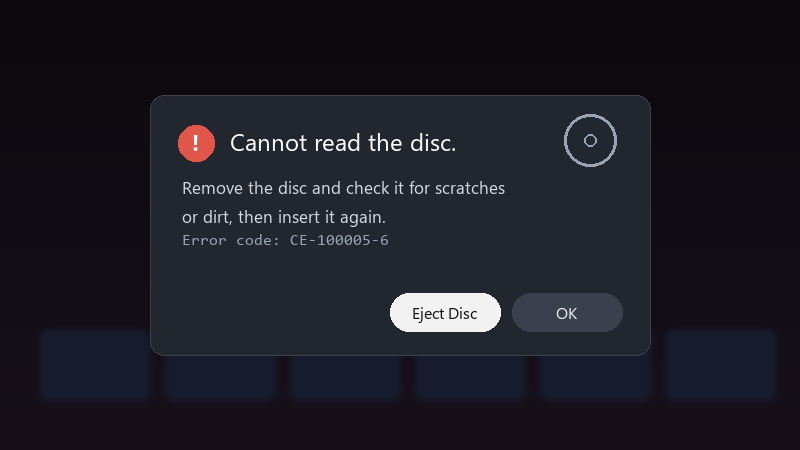
    Cannot read the disc.

    Cannot read the disc.
    Remove the disc and check it for scratches
    or dirt, then insert it again.
    Error code: CE-100005-6
    

    ive had the console for a while and never had disc problems. i dont have a lot of other discs to test with. has anyone had this and fixed it without a repair??

    my worry is that it gets worse and damages my discs. if anyone has had this and solved it, please tell me what worked and in what order you tried things. thx in advance!!


    facepalm

    0
  2. has the drive always made a quiet whirring, or is that new?? ?

    4 0 helpful
  3. CE-100005-6 means the consloe cant read teh disc. first test with two or three other discs. if those work, its that disc. if none work, its teh drive.

    0 0 helpful
  4. Accepted solution

    clean teh disc with a soft microfibre cloth, wiping straight lines from teh centre outward, never in circles. fingerprints and haze are enough to cause read errors on Blu-ray. fingers crossed 🤞

    1 4 helpful

Reply to this topic

Sign in or create an account to reply.