Disc Errors On PS5 Slim With The Disc Drive: Clean It, Replace It, Or Send The Console In?? lol

discerror-codeps518 replies · 363 views · started
  1. So i was exctied to finally play a game i borrowed from a friend and my PS5 Slim with teh disc drive just refused:
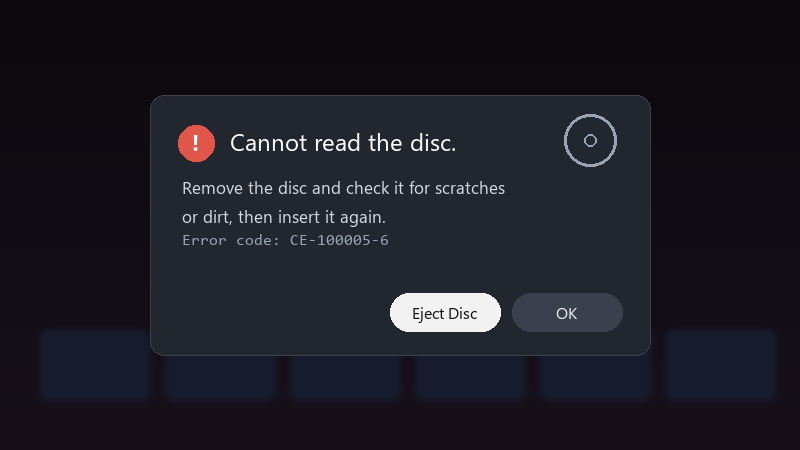
    Cannot read the disc.

    Cannot read the disc.
    Remove the disc and check it for scratches
    or dirt, then insert it again.
    Error code: CE-100005-6
    

    CE-100005-6. the drive does spinning up and down and then gives up. i wiped the disc with a soft cloth from the centre outward, tried again, same thing. i also restarted teh console. is there anything i can do at home, or is this a repair job?

    id love to know what i can safely test at home first. im not opening teh console myself, but i can clean things, change settings and test other discs if needed. thx in advance!!

    rage

    5
  2. do other discs work in the same console?

    8 2 helpful
  3. dude finally got it working, thx everyone

    0 0 helpful
  4. CE-100005-6 means the console cant read the disc, first test with two or three other discs, if those work, its that disc, if none work, its the drive.

    3 0 helpful
  5. hmmm clean the disc with a soft microfibre cloth, wiping straight lines from the centre outward, never in circles. Fingerprints and haze are enough to cause read errors on Blu-ray.

    0 0 helpful
  6. told my boss it would take 10 minutes... its been all weekend

    4 3 helpful
  7. ahh classic if the console is standing vertically, try it horizontally on a flat, stable surface for one test. Some drives behave differently depending on orientation.

    1 0 helpful
  8. is drive even worth bothering with or should i just leave it ?

    1 2 helpful
  9. so annoyed rn reading this at 2am instead of sleeping, no regrets thx in advance!!

    cry

    4 5 helpful
  10. any update on this?. for me it was the BIOS... swapped it and boom, fixed ?

    2 4 helpful
  11. For 4K Blu-ray movies, also check the console's region and disc-format settings. A game disc and a movie disc failing at teh same time is more likely the drive. good luck man!

    3 0 helpful
  12. hmmm exact same thing happened to my homelab box last month lmk how it goes

    2 2 helpful
  13. go into Safe Mode and run Clear Cache and Rebuild Database, then update system software. it sounds unrelated, but a corrupted database can make the console mishandle a disc it read fine before.

    2 1 helpful
  14. If no disc reads at all and you hear grniding, stop inserting discs. Repeated attempts can scratch them. Contact official support for repair, especially if you're still under warranty.

    6 2 helpful

Reply to this topic

Sign in or create an account to reply.






