
HIBERNATE VS SLEEP ON WINDOWS HANDHELDS: WHATS BETTER??

Solvedbatterysleepwindows-handheld8 replies · 341 views · started
Accepted solution by Vik V. — on Windows handhelds, run powercfg /sleepstudy in an admin terminal. it creates a report showing what kept the device awake during sleep…
  1. guys pls help my Legion Go S loses more asleep than Id epxect while asleep. i usually put it to sleep by letting it time out. Today:
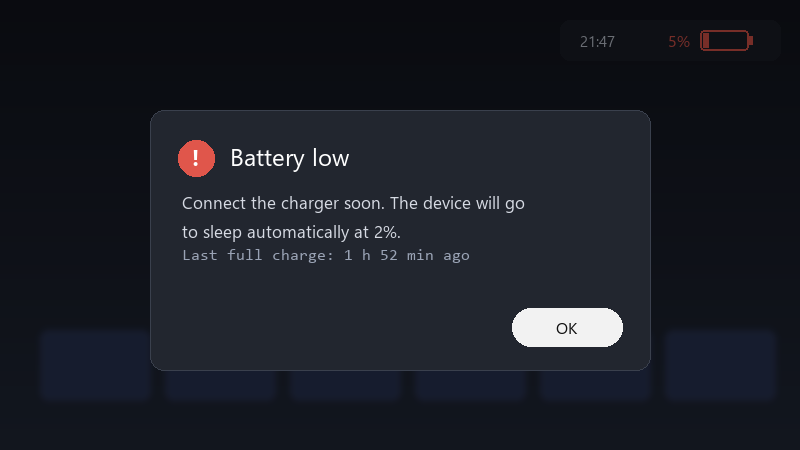
    Battery low

    Battery low
    Connect the charger soon. The device will go
    to sleep automatically at 2%.
    Last full charge: 1 h 52 min ago
    

    I was planning to play on the train and it was almost empty. id like to understand whats keeping it awake. any tips?

    Is there a way to see what's keeping it awake? i'm comfortable with basic Windows settings and can run commands if someone explains them.

    I'd love to hear what settings others use. sleep, hibernate, or just shutting it down every time? what works best for you? thx in advance!!

    7
  2. What does the sleep study report show as teh top drain? ?

    34 1 helpful
  3. Check the manufacturers companion app for a sleep or standby option. Some handhelds offer their own low-power mode that drains less than standard Windows sleep.

    13 2 helpful
  4. consider hibernate instead of sleep for longer breaks.. 🔥 enable it with powercfg /hibernate on, then add it to the power menu in Control Panels power options. worked for me anyway 🤷

    thinking

    18 6 helpful
  5. Accepted solution

    on Windows handhelds, run powercfg /sleepstudy in an admin terminal. it creates a report showing what kept the device awake during sleep sessions. good luck man!

    thumbsup

    2 4 helpful
  6. @vik_router WOWWW the sleep study report was eye-opening :) Fixed teh main culprit and drain is minimal now. seriously made my day 😭🙏

    thumbsup

    0 6 helpful

Reply to this topic

Sign in or create an account to reply.



