i gained free performance by enabling one profile in my bios !!

biosramxmp26 replies · 340 views · started
  1. i always assumed RAM just runs at whatever teh label says. nope. my DDR4 kit was sitting at 2133 cuz XMP was off. in the BIOS there was an option called XMP with Profile 1 and Profile 2. picked Profile 1, saved, and teh speed matched the box.

    games feel a bit smoother, especially on my Ryzen CPU where memory speed matters. is there any risk to leaving it on?? any ideas??


    rage

    2
  2. What CPU and motherboard? Platform affects naming and how high u can go. ?

    reading release notes like its a horror novel

    38 0 helpful
  3. @nadia.garcia what did u end up doing in teh end ?

    3 2 helpful
  4. my homelab box is officially haunted seriously need help here 😭

    0 5 helpful
  5. make a backup before u touch the BIOS, learned that the hard way

    2 1 helpful
  6. It's an officially supported profile from the RAM maker, but technically still running memory beyond teh base spec. Most systems are stable with it. If you get crashes after enabling it, try the other profile or a lower speed.

    2 0 helpful
  7. yeahhh names vary: ASUS AMD boards call it D.O.C.P. on older models, MSI uses A-XMP, newer AMD DDR5 boards show EXPO... same idea. lmk how it goes

    thumbsup

    5 0 helpful
  8. exact same thing happened to my mac last month

    somewhere an AI is confidently telling someone the wrong fix rn

    27 0 helpful
  9. ok update: did what @nadia.garcia said and its fine now. told my boss it would take 10 minutes, its been 3 hours

    0 0 helpful
  10. same issue here on my desktop... following this thread

    2 0 helpful
  11. lol same thing happened to me never knew this and i've built two PCs. Just checked and both were running at JEDEC speed 😭 Thanks! lmk how it goes

    nothing is more permanent than a temporary workaround

    0 2 helpful
  12. ok so after enabling, run a memory test like Windows Memory Diagnostic (mdsched.exe) or MemTest86 overnight to be suree teh system is stable. good luck man!

    0 12 helpful
  13. yeahhh wmic memorychip get speed,configuredclockspeed or Get-CimInstance Win32_PhysicalMemory | Select Speed, ConfiguredClockSpeed in PowerShell shows rated vs configured speed per stick. lmk how it goes

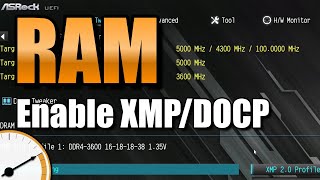
    this vid explains it way better than me lol

    ▶ How to enable XMP/DOCP

    2 2 helpful
  14. ok so pro tip: write down what u change... i didnt and had to redo xmp from scratch, this. so much this

    1 2 helpful
  15. hmmmm ok ok this thread just saved my weekend

    0 0 helpful
  16. idk man that suonds like bad advice tbh. pro tip: write down what u change. i didnt and had to redo xmp from scratch just my 2 cents

    7 0 helpful
  17. First boot after enabling XMP/EXPO on DDR5 can take a long time cuz of memory tarining. Dont panic and power off, give it a few minutes.

    1 0 helpful
  18. ok so i swear ram is cursed thx in advance!!

    thinking

    9 13 helpful

Reply to this topic

Sign in or create an account to reply.