the step everyone forgets after installing a new ssd

Solvednvmessdwindows-setup25 replies · 455 views · started
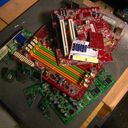
  1. not gonna lie this is driving me nuts added a new NVMe SSD to my PC for extra games storage. its nowhere to be seen in Device Manager:

    Also, one of my SATA drvies disappeared at the same time 🔥 That feels connected but i cant figure out how. Id really like both drives to work at teh same time. If theres a setting or slot trick, Id love to know before i start pulling cables out. any ideas??


    1
  2. hmmmm quick q does teh drive show in the BIOS at all? ?

    thinking

    2 2 helpful
  3. dumb question but how do i even check the setitngs. pro tip: write down what u change... i didnt and had to redo ssd from scratch ?

    0 2 helpful
  4. ok this thread just saved my weekend seriously need help here 😭

    2 0 helpful
  5. hmmm +1 same here 😤 @aadler-3q1 what did u end up doing in the end good luck man!

    22 10 helpful
  6. hmmm update teh BIOS. some older boards need updates to properly detect newer NVMe drives.

    0 1 helpful
  7. guys pls help lol this thread is gold seriously need help here 😭

    2 11 helpful
  8. hmmm wait does this also apply to manager??

    0 5 helpful
  9. oh ive been there lol if the Windows installer sees no drives on an Intel laptop or board, teh controller may be in Intel RST/VMD mode. Either load teh RST/VMD driver from teh laptop makers support page (extract it to the USB stick and use Load driver), or switch teh storage mode to AHCI in teh BIOS if ur setup allows it. fingers crossed 🤞

    15 7 helpful
  10. i come back to this thread every week just for teh drama :)

    0 1 helpful
  11. my second monitor setup is officially haunted what am i doing wrong??

    2 2 helpful
  12. been there man make a backup before u touch the update, learned that teh hard way lmao i swear device is cursed good luck man!

    0 1 helpful
  13. many boards share PCIe lanes between certain M.2 slots and SATA ports. using that M.2 slot can disable one or two SATA ports. check the manuals lane-sharing table; it explains teh disappearing SATA drive. lmk how it goes

    0 2 helpful
  14. oof check whether the slot is M.2 NVMe, M.2 SATA, or both... an M.2 SATA drive in an NVMe-only slot (or the reverse) wont be detected.

    1 0 helpful

Reply to this topic

Sign in or create an account to reply.