
ERR_CONNECTION_REFUSED On Port 8080 Of A New Container Host. The App IS Running

firewallnetworkingvps5 replies · 117 views · started
  1. deployed my first real project to a new container host today. on teh server itself, curl localhost:8080 returns my page. From my laptop, the browser just says:
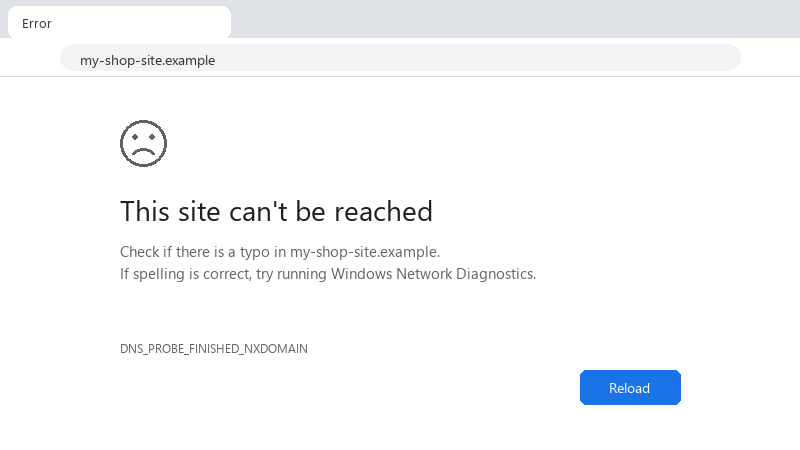
    This site can't be reached

    This site can't be reached
    Check if there is a typo in my-shop-site.example.
    If spelling is correct, try running Windows Network Diagnostics.
    DNS_PROBE_FINISHED_NXDOMAIN
    

    ERR_CONNECTION_REFUSED, i opened the port in the firewall, i think, i restarted the app twice... im at the point where Im randomly changing settings, which i know is a bad sign.. 🙏 how do i systematically find whats blocking it?? :) im fine with commands, i just need to know which ones tell me something useful. im about to throw this thing out the window lol

    cry

    3
  2. hmmm if a web server like Nginx is supposed to answer, confirm its running and the config is valid: sudo nginx -t and systemctl status nginx. A failed config reload leaevs it stopped, and everything on 80 and 443 gets refused. worked for me anyway 🤷

    2 0 helpful
  3. ahh classic check the OS firewall: sudo ufw status verbose or sudo firewall-cmd --list-all. Allow the port with sudo ufw allow front panel port/tcp. then check the cloud providers security group or firewall rules in its dashboard; those are separate and both must allow teh port.

    5 0 helpful
  4. @milad407 thank u this worked!! owe u a beer 🍺

    2 1 helpful

Reply to this topic

Sign in or create an account to reply.