

webpack build dies with Module not found: Can't resolve 'fs'. Is node_modules cursed?

Solvedbuildjavascriptnpm3 replies · 285 views · started

Accepted solution

by Cyrus WalshJump to the reply

ERESOLVE means npm found conflicting peer dependency requirements. read the full message: it lists which package wants which version range. align versions sooo they agree, often by updating the package thats behind. --legacy-peer-deps makes the error go away but hides real incompatibilities, sooo use it only as a temporary step.

thumbsup

  1. merged a dependency update PR and now webpack reufses to build:
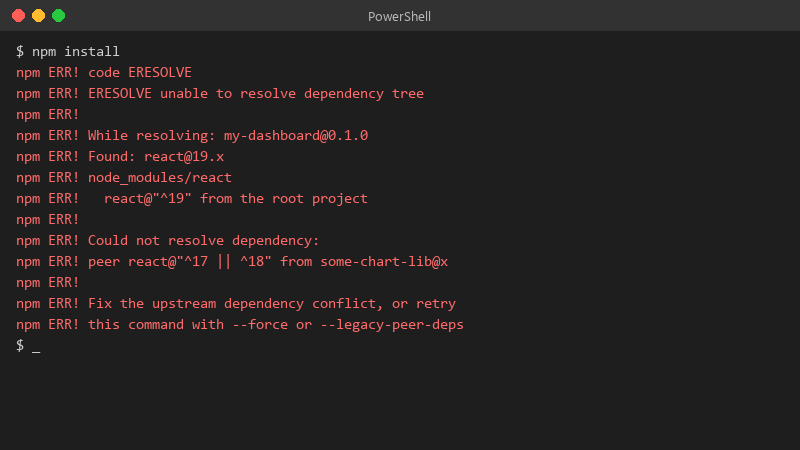
    $ npm install

    $ npm install
    npm ERR! code ERESOLVE
    npm ERR! ERESOLVE unable to resolve dependency tree
    npm ERR!
    npm ERR! While resolving: my-dashboard@0.1.0
    npm ERR! Found: react@19.x
    npm ERR! node_modules/react
    npm ERR!   react@"^19" from the root project
    npm ERR!
    npm ERR! Could not resolve dependency:
    npm ERR! peer react@"^17 || ^18" from some-chart-lib@x
    npm ERR!
    npm ERR! Fix the upstream dependency conflict, or retry
    npm ERR! this command with --force or --legacy-peer-deps
    

    The error is Module not found: Can't resolve 'fs'. The PR looked harmless, a few version bumps. i'd rather understand teh cause than blindly revert or slap a flag on it 🔥 What's the right way to read this error and fix it properly? Happy to share more of teh log if someone tells me which lines matter. what am i doing wrong??

    5
  2. Accepted solution

    ERESOLVE means npm found conflicting peer dependency requirements. read the full message: it lists which package wants which version range. align versions sooo they agree, often by updating the package thats behind. --legacy-peer-deps makes the error go away but hides real incompatibilities, sooo use it only as a temporary step.

    thumbsup

    3 3 helpful
  3. id honestly just use --legacy-peer-deps temporarily if the app works fine. waiting for a plugin author to update their peer range can take months. just my 2 cents

    0 6 helpful
  4. @loose_fox714 omggg moved the server-only import out of the shared file and teh build passes. Makes total sense now that i understand teh error. thank u thank u thank u

    6 3 helpful

Reply to this topic

Sign in or create an account to reply.