my legion go loses everything in two days in sleep

batterysleepwindows-handheld18 replies · 210 views · started
  1. hmmmm ok my Legion Go loses everything in two days while asleep. I usually put it to sleep by using teh Start menu. Today:
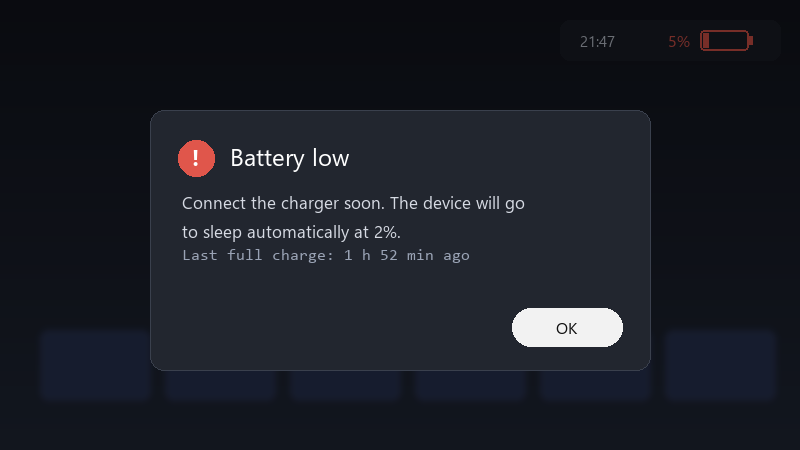
    Battery low

    Battery low
    Connect the charger soon. The device will go
    to sleep automatically at 2%.
    Last full charge: 1 h 52 min ago
    

    i was planning to play on the train and it was almost empty. id like to understand whats keeping it awake. any tips?

    Is there a way to see whats keeping it awake? Im comfortable with basic Windows settings and can run commands if someone explains them.

    id love to hear what settings others use. sleep, hibernate, or just shutting it down every time? what works best for you? any ideas??


    4
  2. yeahhh on Windows handhelds, run powercfg /sleepstudy in an admin terminal, it creates a report showing what kept teh device awake during sleep sessions. worked for me anyway 🤷

    day one patch is bigger than the actual game, classic

    0 1 helpful
  3. check teh manufacturers companion app for a sleep or standby option... some handhelds offer their own low-power mode that drains less than standard Windows sleep. lmk how it goes

    0 0 helpful
  4. been there man run powercfg /a to see which sleep states are available. many Windows handhelds use Modern Standby, which keeps some activity running and can drain more than traditional sleep.

    20 0 helpful
  5. lol same thing happened to me consider hibernate instead of sleep for longer breaks. enable it with powercfg /hibernate on, then add it to the power menu in Control Panel's power options. fingers crossed 🤞

    2 0 helpful
  6. yeahhh following, having teh same problem... i swear windows-handheld is cursed

    2 5 helpful
  7. in Device Manager, open the network adapters properties and turn off Allow this device to wake the computer on the Power Management tab... network activity is a common cause of drain.

    0 0 helpful
  8. @subnetgremlin-333 nah thats not it, sleep has nothing to do with it but hey ymmv

    4 0 helpful
  9. lol same thing happened to me update teh BIOS and the manufacturers companion app :/ Many sleep and power issues have been addressed in updates for handhelds.

    0 2 helpful
  10. agreed

    0 1 helpful
  11. hmm idk everyone keeps saying this but nobody posts proof

    2 0 helpful
  12. oh ive been there lol pro tip: write down what u change, i didnt and had to redo legion from scracth worked for me anyway 🤷

    3 0 helpful
  13. oh also unrelated but anyone else's coffee machine also judging them today

    1 0 helpful
  14. @dario_subnet dude switched to hibernate for longer breaks. No more dead battery in teh morning. thank u thank u thank u

    14 0 helpful

Reply to this topic

Sign in or create an account to reply.